 MY BOWLING JOURNEY
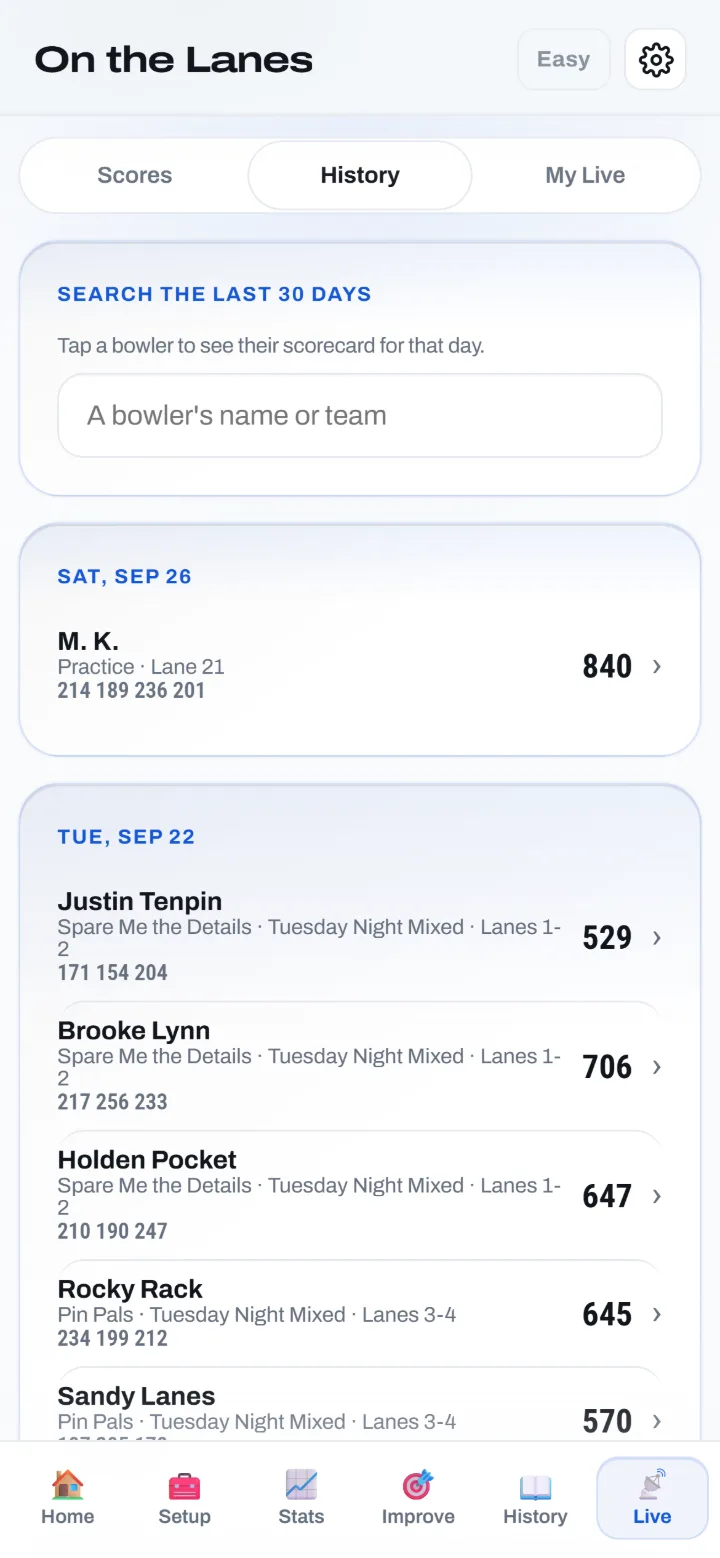
History on Live keeps the last 30 days at the bowling center you've picked: every saved night from bowlers who share their scores live.
What's on it
- Nights grouped by date, newest first.
- League nights, practice, open bowling and tournaments. A league night is there once for each bowler, however many teammates scored it.
- Each row: the bowler's name as Live shows it to you, their team, the league (or Practice, Open bowling or the tournament's name), the lanes, each game's score, and the total on the right.
- Only nights with scores, from bowlers who are sharing now. A bowler who stops sharing leaves History too.
- Bowlers you've blocked aren't on it.
Search
- On Live, tap History.
- Under Search the last 30 days, type a bowler's name, a team, or a league or tournament. Every word you type has to match. Capitals and accents don't matter.
When nothing matches, it says "Nobody by that name or team in the last 30 days."
Open a night
- Tap a row.
- The top shows the date, the bowler, their team, the league and the lanes, and the total.
- Each game follows with its frames: the marks on top and the running total under them.
- Tap ‹ to go back.
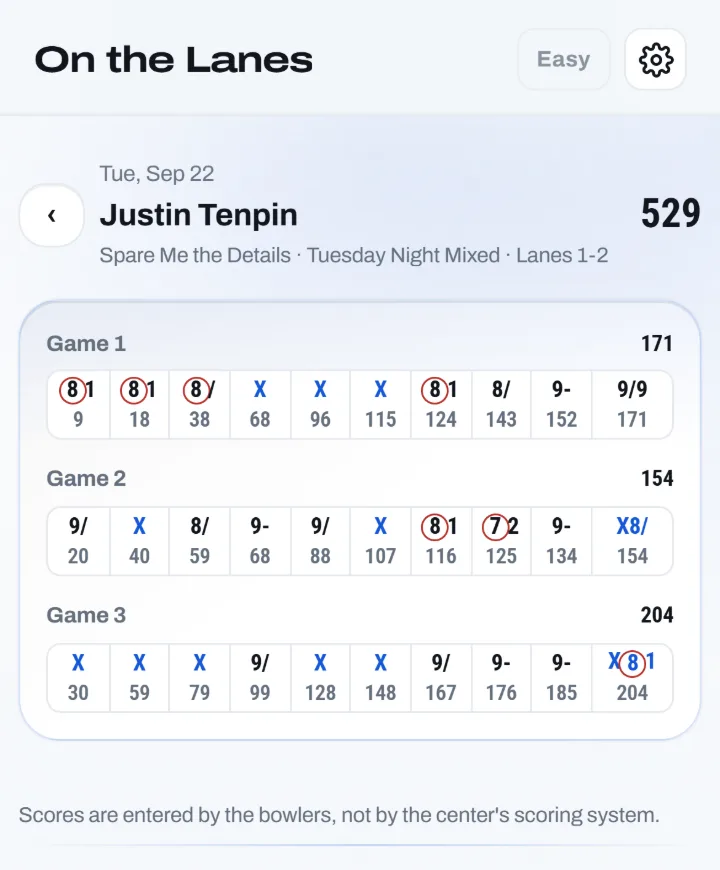
A night entered as game totals has no frames: "Only game scores were entered for this night, so there are no frames to show." Each game's score is listed instead.
If nobody sharing has bowled at the center in 30 days, History says "Nobody sharing has bowled here in the last 30 days."
The center's live link has History too. See Getting your league on Live.