 MY BOWLING JOURNEY
A practice has its own Results tab: games, drills and accuracy from tonight, together, so nothing you worked on goes missing. Practice never counts toward your league average.
Getting there
The Results tab joins Plan, Games, Drill and Accuracy once you've bowled a game, saved a drill or thrown an accuracy set. Tap it any time, or tap View Results at the bottom. View Results also saves a drill you've started and not saved yet.
Done for the night? Tap Save and end practice on Results.
What's on it
Each card shows only when you did that kind of work tonight. From the top:
- Perfect game: when you bowled a 300. Practice is never a series or a personal best, so there's no 800 or personal best here.
- Plan: when you followed a practice plan, each block against what you did, like "8 of 10 shots, 75% made", or "not reached". See Practice Plan.
- Practice Recap: your game scores.
- Drill Recap: your drills.
- Accuracy: your accuracy sets. See Accuracy practice.
- Share this practice.
- Games: the night's games added up, with more when you scored them frame by frame.
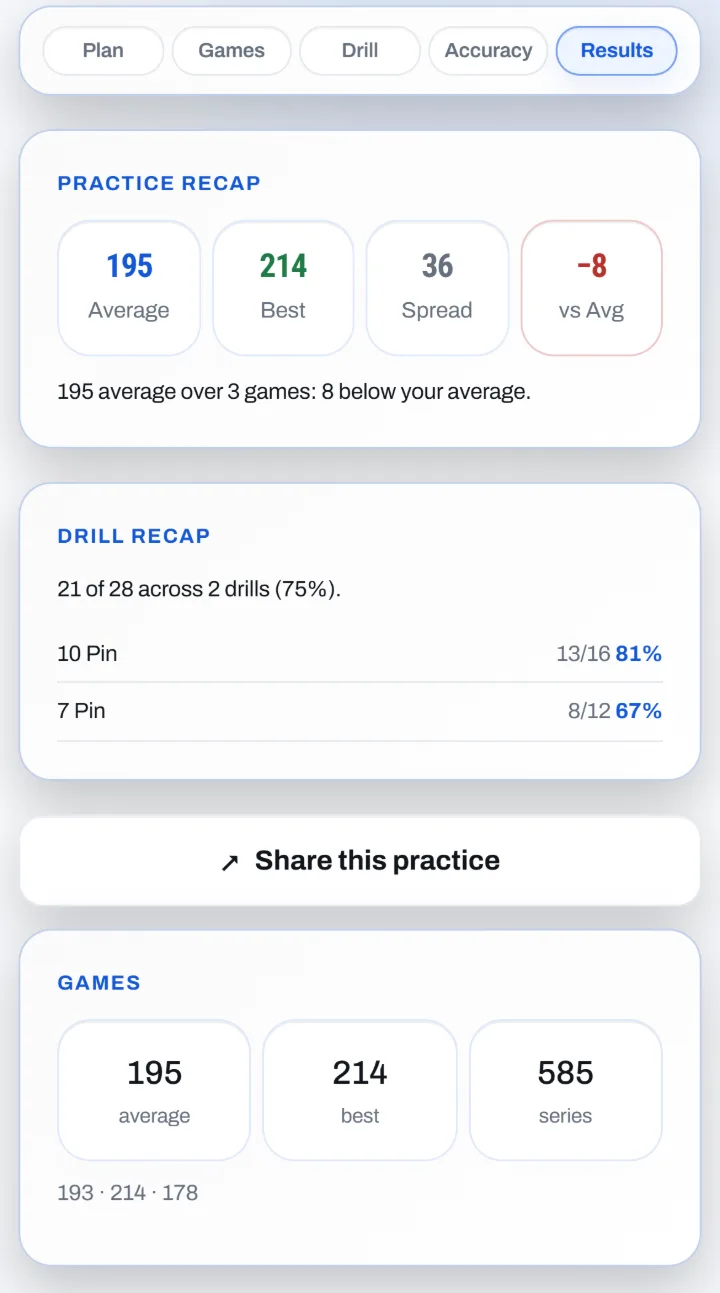
Practice Recap
Every game you typed on Game Tracking:
- Average, Best and Spread: your average, your best game, and how far apart your best and worst games were.
- vs Avg: tonight's average against your average over every night you've saved on other days, leagues, tournaments, practice and open bowling together. Green is above it, red below. It's there once you have saved games from another day.
- A line that says it in words, like "182 average over 3 games: 4 above your average."
Drill Recap
Every drill you worked tonight, with a line at the top for all of them, like "18 of 25 across 2 drills (72%)."
Under it, one row per drill: what you worked on, made out of tries, and the rate. A rate from only a few tries is marked "may move". Two sittings at the same spare count as one drill. See Practice drills.
Games
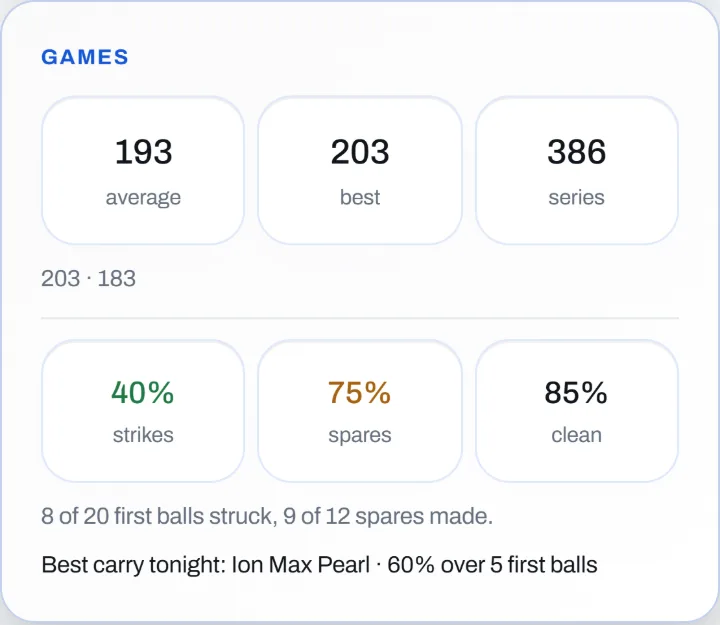
The Games card adds up every game you bowled tonight, typed or frame by frame: your average, best and series, and each game's score.
When you scored frame by frame, it adds your strikes, spares and clean frames as percentages, and a line like "24 of 40 first balls struck, 9 of 12 spares made, 1 split." With more than one ball thrown, "Best carry tonight" names the ball that struck most often and its strike rate.
Share this practice
Share this practice sends a picture of your games with up to three lines under them: how tonight sat against your average, like "+4 on my average", how many drills you did, and your accuracy, like "Accuracy: 48 shots, 62% on the board". Badges you earned tonight go on it too. It shows once you've typed a game score. See Sharing a night, a card or a badge.