 MY BOWLING JOURNEY
A bag is the set of balls you take to the lanes. Keep one for league and others for tournaments, which often limit how many balls you can bring. When you score, the ball list starts with the bag's balls, so the one you want is a tap away.
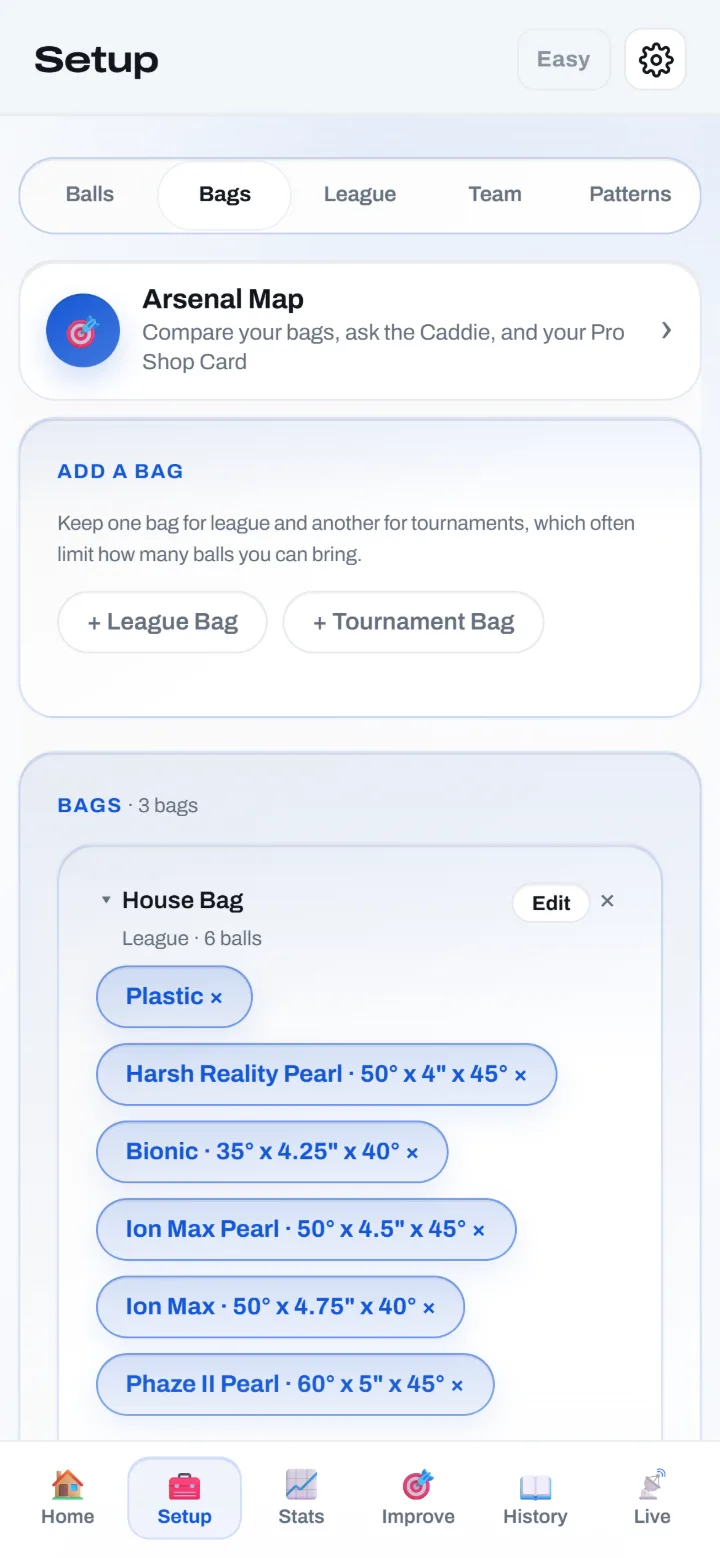
Make a bag
- Tap Setup, then Bags.
- Under Add a bag, tap + League Bag or + Tournament Bag.
- Give it a name, like House Bag or Short pattern.
- Type is set from what you tapped. Change it here if you need to.
- For a tournament bag, type Balls Allowed, the total the tournament allows, or leave it blank for no limit. Plan to include a plastic is a note for your own planning. It doesn't change the limit.
- Tap Save and pack balls.
Pack it
Saving a new bag opens it for packing. Under Balls in this bag, every ball you throw is a chip, with its layout. An archived ball isn't in any bag until you're throwing it again. See Grouping and archiving balls. Tap a ball to pack it, and tap it again to take it out. The count says how full the bag is, like "4 of 6 balls" when it has a limit. Once it's full, the rest say (full) and wait until a ball comes out.
Tap Save Bag when you're done.
A ball can be in as many bags as you carry it in. Your benchmark ball can sit in the league bag and every tournament bag.
Your bags
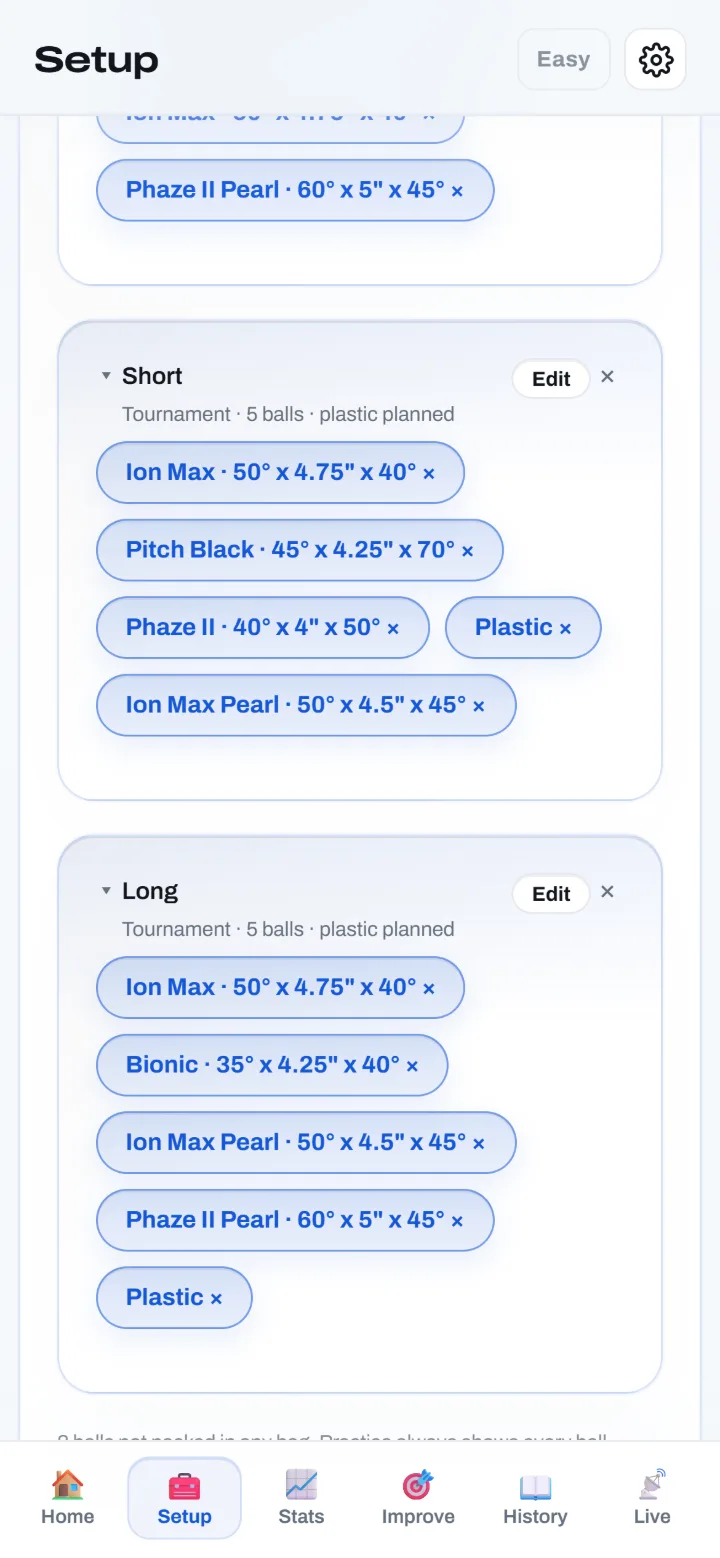
Each bag under Bags shows its type and count, like "Tournament · 5 balls · plastic planned", and the balls in it.
- Tap a bag's name to fold it to one line, and again to open it. This phone remembers.
- Edit opens it to rename it, change its limit or repack it.
- The × on a ball takes it out of that bag.
- The × beside Edit deletes the bag. Tap Delete, or Keep to back out. Its balls stay in your arsenal and in any other bag.
Under your bags, a line says how many balls aren't packed in any bag. Practice always shows every ball, bag or not.
When you score
- With one league bag, a league night's ball list is that bag's balls. More balls opens the rest of your arsenal, and a ball from outside the bag asks once whether to Add to the bag.
- A tournament can use one of your tournament bags: its set up asks Using one of your tournament bags? See Setting up a tournament.
- Practice shows every ball you throw.
- No bags at all? You pick from every ball you throw. Archived balls aren't offered.
More on picking a ball: Details: ball, surface and where the ball went.
On the free plan
The free plan covers one league bag and one tournament bag. Once you have one of a type, its button goes, and a More bags card says extra bags are part of Pro. Nothing you've packed goes anywhere.
Back on the free plan with more bags than that? The first bag you made of each type stays as it is. The rest are kept, faded and locked: "Pro: kept exactly as packed, and back the moment you subscribe." You can delete a locked bag, but you can't edit it, and Scoring doesn't offer it.