 MY BOWLING JOURNEY
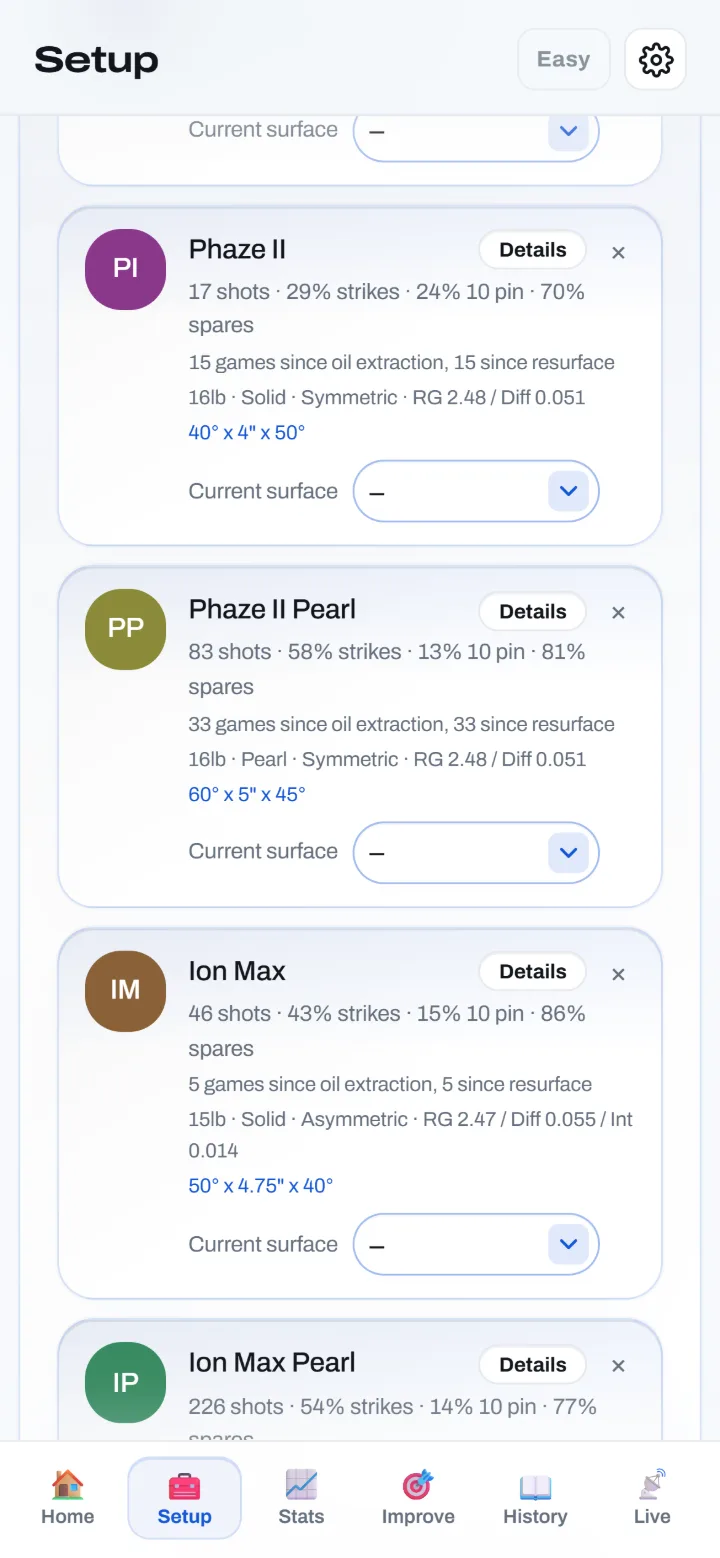
Everything the app knows about a ball sits on its card on Setup > Balls. Tap Details beside its name to open it, and Done to close it. Inside are three tabs: Specs, Layout and Care.
None of it is needed to score. It's what puts a ball on the Arsenal Map and your Pro Shop Card.
Specs
- Tap Details on the ball. Specs opens first.
- Tap its Coverstock: Solid, Pearl, Hybrid or Urethane. Tap it again to clear it.
- Tap its Core: Symmetric or Asymmetric.
- Type its Weight (lb), RG and Diff, from the box or the maker's site. An asymmetric ball also gets Int. Diff (asymmetric only).
Every change saves as you make it. Weight stays between 6 and 16 lb. The line under the ball's name then reads like "15lb · Pearl · Asymmetric · RG 2.48 / Diff 0.054 / Int 0.019".
If you've made ball groups, a Group row sits at the top of Specs. See Grouping and archiving balls.
Community Specs
Under your specs, Community Specs shows what other bowlers shared for a ball with the same name.
- Nobody has shared any yet? Fill in yours and tap Share My Specs, so the next bowler doesn't have to type them.
- Use These copies an entry's specs onto your ball, and changes to Applied. If you've typed your ball's weight and the entry has numbers for that weight, it uses those.
- Looks right and Wrong are your vote on someone else's entry. Two bowlers saying it looks right make it Community approved. Five make it Verified, and it locks. Two saying it's wrong take it down.
- On your own entry, Update Shared sends your current specs in its place, until it's locked.
- Share Mine Instead adds your own entry beside the others.
Official entries come from the ball's maker. Nobody votes on them.
If other bowlers report the shared specs for one of your balls as wrong, a Specs Removed card says so on the Arsenal card, above your balls. You keep the ball. Tap Got it and its specs are cleared, ready for you to enter them again.
Layout
- Tap Details on the ball, then Layout.
- Pick its Layout System: Dual Angle, VLS (Pin Buffer) or 2LS (Two-Handed). Your driller knows which one they used.
- Type its three numbers:
- Dual Angle: Drilling Angle, Pin-to-PAP and VAL Angle.
- VLS: Pin-to-PAP, PSA-to-PAP and Pin Buffer.
- 2LS: Pin-to-PAP, Pin-to-COG and PSA-to-PAP.
Switching systems starts the numbers fresh, since each system measures different things. A number no layout can have turns its box red and says the limit. Once all three are in, the layout shows in blue under the ball's name, like 60° x 4.5" x 45°, and beside the ball in your bags.
Your PAP belongs to you, not the ball. It's on your bowler card in Settings > Profile, under PAP (positive axis point), and it goes on your Pro Shop Card. See Your profile.
Current surface
Under each ball, Current surface is the grit it's at now: Box, 180, 360, 500, 1000, 1500, 2000, 3000, 4000, 5000, Lane Shine or Polish. Change it after a trip to the pro shop.
It's the same setting as the surface box beside the ball on Scoring: change either one and the other follows. The surface you score with is saved on each ball you throw, which is what Grit Ladder reads.
Care
The Care tab keeps your oil extractions and resurfaces. It's on every ball but the plastic one and archived ones, and it's part of Pro. See Ball care.