 MY BOWLING JOURNEY
A friend is a bowler whose numbers you can hold yours up against in Stats. Friends are added with a code, never by searching names, so nobody finds you unless you give them yours. Friends are free.
When you join a team, your teammates are added to your friends. A teammate friend sees only the nights you bowl for your team, not your practice, tournaments or other leagues. A friend you add with a code sees all your bowling.
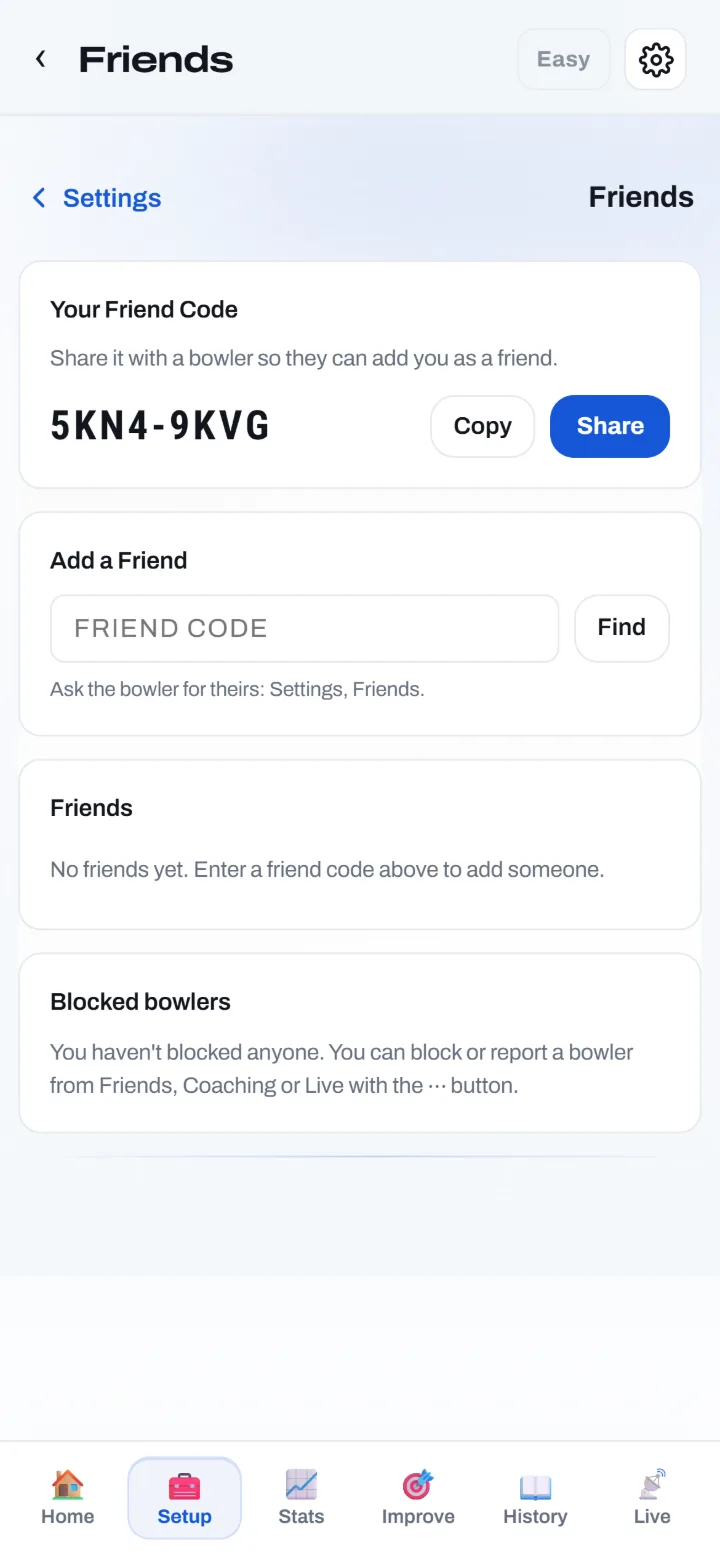
Your friend code
Your code is at the top of Settings > Friends, under Your Friend Code. It's 8 letters and numbers, like K7QD-2M9X.
- Copy copies the code, to paste in a text.
- Share opens your phone's share sheet with a message and a link: "Add me as a friend on My Bowling Journey. My friend code is K7QD-2M9X." When they tap the link, the app opens on their Friends screen with your code already looked up.
Add a friend
- Ask the bowler for their code. It's on their Settings > Friends.
- Under Add a Friend, type it in the box and tap Find. Small letters, spaces and a missing dash are fine.
- Their name shows under the box. Tap Add.
The request waits under Sent until they answer. Tap Cancel beside it to take it back.
What the box can say:
- Already a friend or Request pending: you're already friends, or a request is already waiting.
- "A friend code is 8 letters and numbers, like K7QD-2M9X.": what you typed isn't a whole code.
- "No bowler has that code. Check it and try again."
- "Too many tries. Wait a little and try again.": after a lot of lookups in a short time.
Friend requests
When a bowler adds you, their request shows in two places:
- Your Inbox, like "Ally Lane sent a friend request". Tap it to open Friends.
- Settings > Friends, under Requests.
Tap Accept or Decline. Your phone can tell you when one arrives: Requests from people in Notifications.
Your friends
Everyone you're friends with is listed under Friends. With nobody yet, it says "No friends yet. Enter a friend code above to add someone."
To remove a friend, tap Remove beside their name and say yes. Their nights leave your phone with them. A teammate you remove stays removed, and stays your teammate.
A bowler you found by their code, each request and each friend has a ⋯ button too, to block or report them. See Blocking and reporting a bowler.
What friends see
Friends you added with a code see each other's nights, scores and frames, so each of you can compare. A teammate friend sees only your team's nights. Your notes and your side game money stay yours. More on that in Comparing with friends and teammates.