 MY BOWLING JOURNEY
Notifications is what your phone tells you about while the app is closed. It's in the Android and iPhone apps. The website can't send notifications, so it doesn't have this tile.
- Tap the gear at the top right of any screen.
- Tap Notifications.
Everything starts On, except the reminder for a league you sub in. Tap a switch to turn it Off, and tap it again to turn it back on.
What other bowlers send you
- Requests from people: friend, coaching and team requests and invitations.
- Imported scores: a teammate read a scorecard photo with your games on it, for you to check.
- Coach activity: tasks and notes from your coach, and your bowlers' updates if you coach.
- Live League alerts: the teams and bowlers you follow on Live, while your league is bowling. Who you follow, and which alerts come, are set on Live. See Following teams and bowlers.
Tap a notification to open the screen it's about. These four switches are saved with your account, so they're the same on every phone you use.
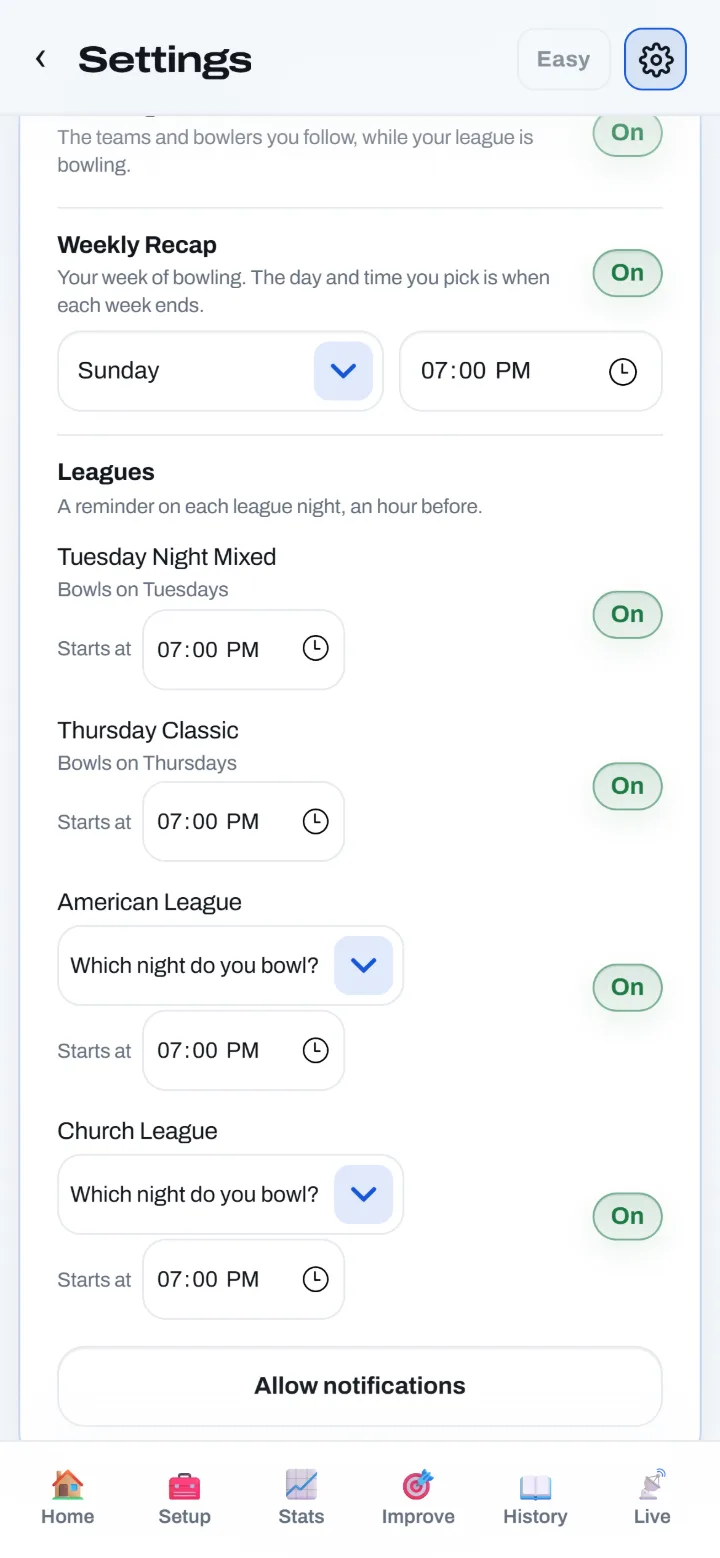
Weekly Recap
Weekly Recap tells you when your week of bowling is ready: "Your week in bowling is ready." Tap it to open the recap.
Pick the day and time under the switch. That's also when each of your weeks ends. It starts as Sunday at 7:00 PM, and it only comes in a week you bowled. See The weekly recap.
Leagues
Each of your leagues has its own switch. Its reminder comes an hour before the league starts. All about it, and when it comes: Turning on reminders.
- Under each league's name is the night it bowls, like "Bowls on Tuesdays". Until the app knows, pick the night in Which night do you bowl? right there.
- Starts at is when the league starts, 7:00 PM until you change it. Tap it to set your league's time.
- A league you sub in starts Off. It says "You sub in this league, so its reminder is off unless you turn it on."
- A league you've hidden isn't listed.
The league switches are kept on this phone, so set them on each phone you use. The night and the start time are saved with your account.
Your phone's permission
One permission on your phone covers every notification here. If it's off for the app, nothing comes, whatever the switches say. The card checks it each time it opens:
- If it's turned off, the card says where to turn it on. On Android: your phone's Settings, then Apps, then My Bowling Journey, then Notifications. On an iPhone: Settings, then Notifications, then MBJ.
- If your phone hasn't been asked yet, tap Allow notifications to ask now.
Still nothing coming? See Notifications don't arrive.