 MY BOWLING JOURNEY
Follow a team or a bowler in one of your own leagues and your phone tells you how they're doing: a strike streak, a big game, the team's points. You don't have to share your own scores to follow.
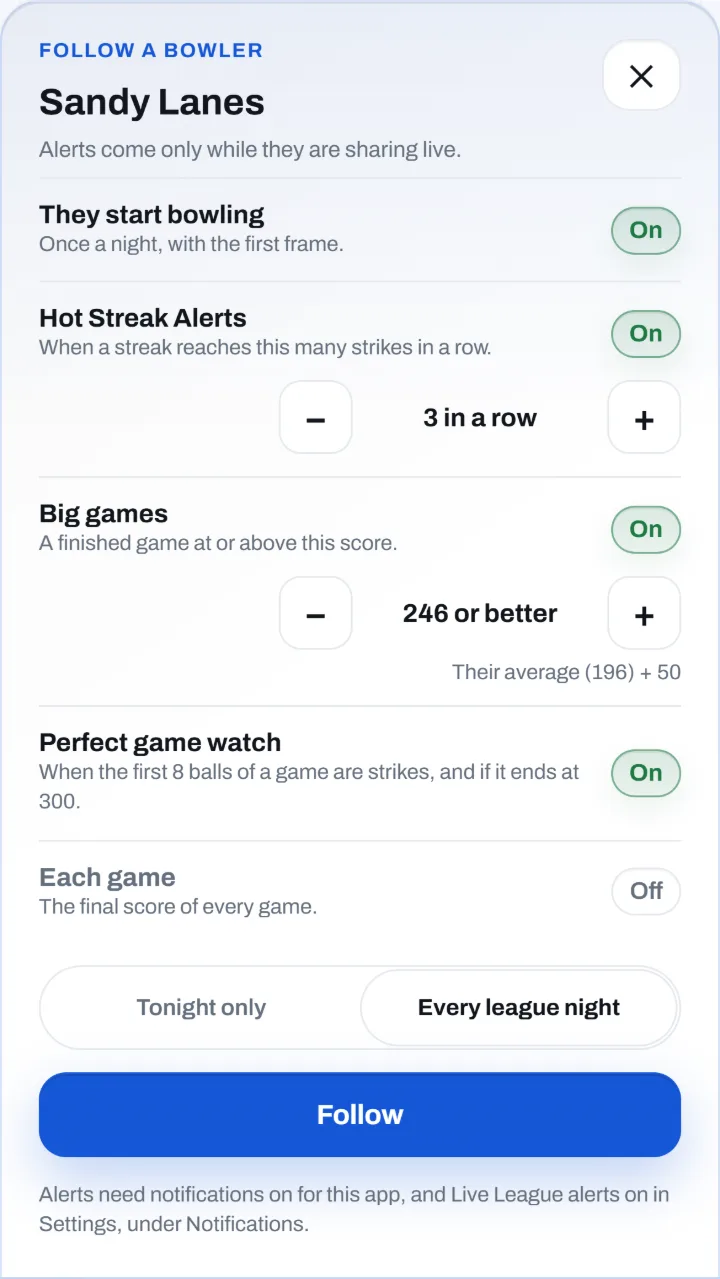
Follow a bowler
- On Live, tap Scores, pick By league and your league, and tap the match.
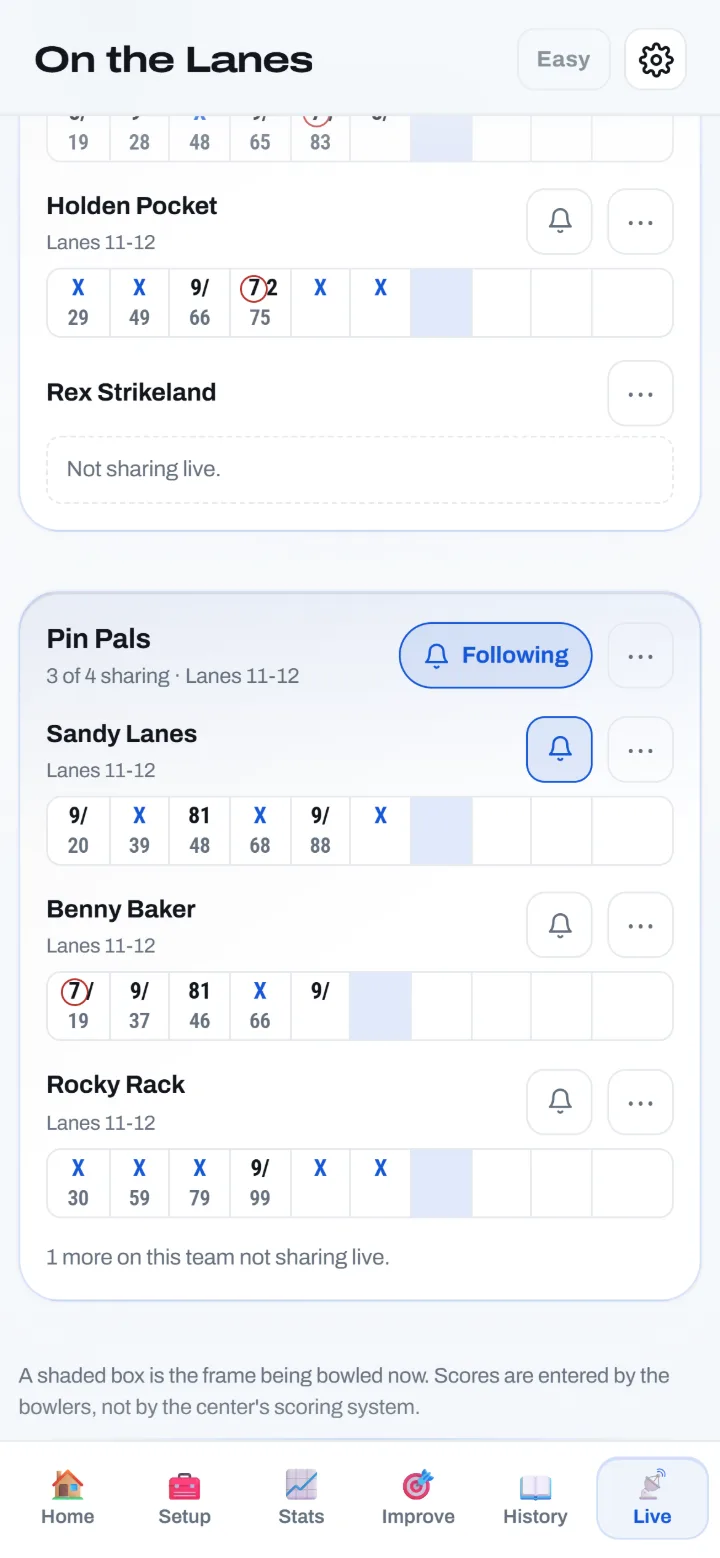
- Tap the bell beside the bowler. Each bowler who's sharing has one, except you and anyone a teammate scores who doesn't have the app.
- Pick the alerts and how long (below).
- Tap Follow.
A bowler in your league who isn't on a team yet has a row of their own under the matches. Tap it, and the bell is beside their name.
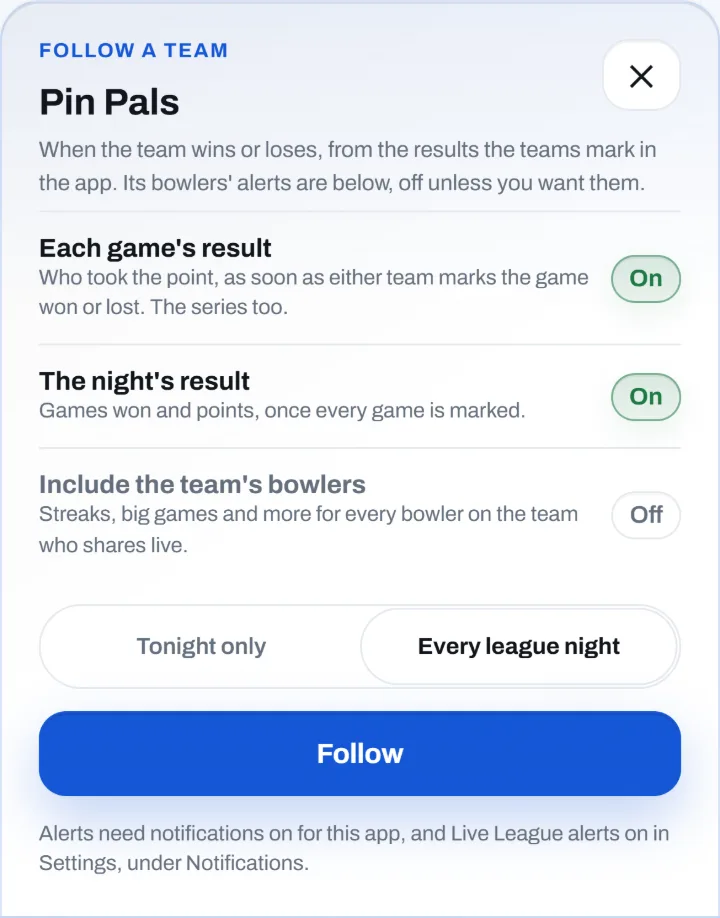
Follow a team
- Open the match the same way.
- Tap Follow beside the team's name. Your own team has none.
- Pick the alerts and how long, then tap Follow.
A bowler's alerts
Each one is On or Off. Tap to switch it.
| Alert | When it comes | To start with |
|---|---|---|
| They start bowling | Once a night, with their first frame. | On |
| Hot Streak Alerts | When a streak reaches the number of strikes in a row you set with − and +, from 2 to 11. | On, at 3 |
| Big games | A finished game at or above the score you set, from 100 to 300. It starts at their average + 50, or 200 until they have an average. Use their average + 50 goes back to that. | On |
| Perfect game watch | When the first 8 balls of a game are strikes, and if it ends at 300. | On |
| Each game | The final score of every game. | Off |
A team's alerts
| Alert | When it comes | To start with |
|---|---|---|
| Each game's result | Who took the point, as soon as either team marks the game won or lost. The series too. | On |
| The night's result | Games won and points, once every game is marked. | On |
| Include the team's bowlers | Streaks, big games and more for every bowler on the team who shares live. Turn it on and a bowler's alerts open under it. A big game here is 50 or more over the bowler's average. | Off |
How long
- Tonight only: the follow ends after tonight.
- Every league night: until you stop it.
With every alert off, it says "Turn on at least one alert." and the follow can't be saved.
When alerts come
- Only while they're sharing live, and only for their nights in that league.
- Each alert comes once. Two on the same ball come as one message, like a streak reached on a game's last ball and that game's score.
- The name in an alert is the one Live shows you.
- Tap an alert and Live opens at that league's bowling center.
Change or stop following
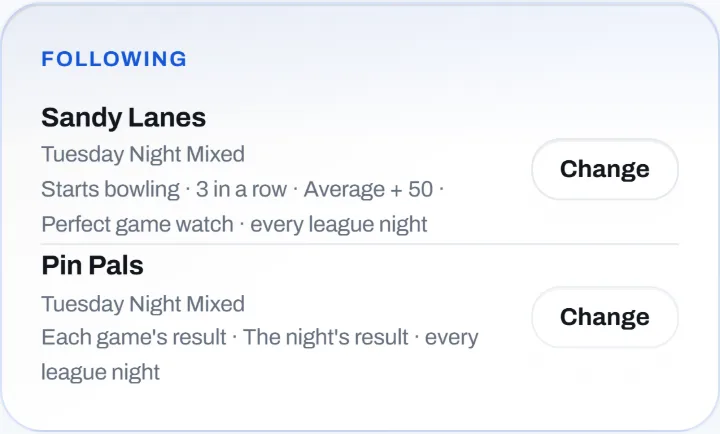
- On Live, tap My Live.
- Under Following, tap Change beside the team or bowler.
- Change the alerts and tap Save, or tap Stop following.
On the board, the bell (or Following beside a team) opens the same screen.
Blocking a bowler also ends any follow between the two of you.
Alerts need notifications
"Alerts need notifications on for this app, and Live League alerts on in Settings, under Notifications." They come to the Android and iPhone apps, not the website. Turn off Live League alerts in Settings > Notifications to stop every Live alert at once. See Notifications.