 MY BOWLING JOURNEY
Notifications come to the Android and iPhone apps only. The website can't send them. Work down this list. All of it is on one card: tap the gear (Settings), then Notifications.
Your phone's permission
One permission on your phone covers every notification from the app. If it's off, nothing comes, however the switches are set.
- If the Notifications card says notifications are turned off for this app, follow its steps:
- Android: open your phone's Settings, then Apps, then My Bowling Journey, then Notifications.
- iPhone: open Settings, then Notifications, then MBJ.
- If the card has Allow notifications, tap it and allow.
An iPhone asks an app only once. If you said no there, the iPhone's own Settings is the only way to turn them back on.
The switches
Each kind has its own On or Off: Requests from people, Imported scores, Coach activity, Live League alerts and the Weekly Recap. Each league has its own line under Leagues. More on each: Notifications.
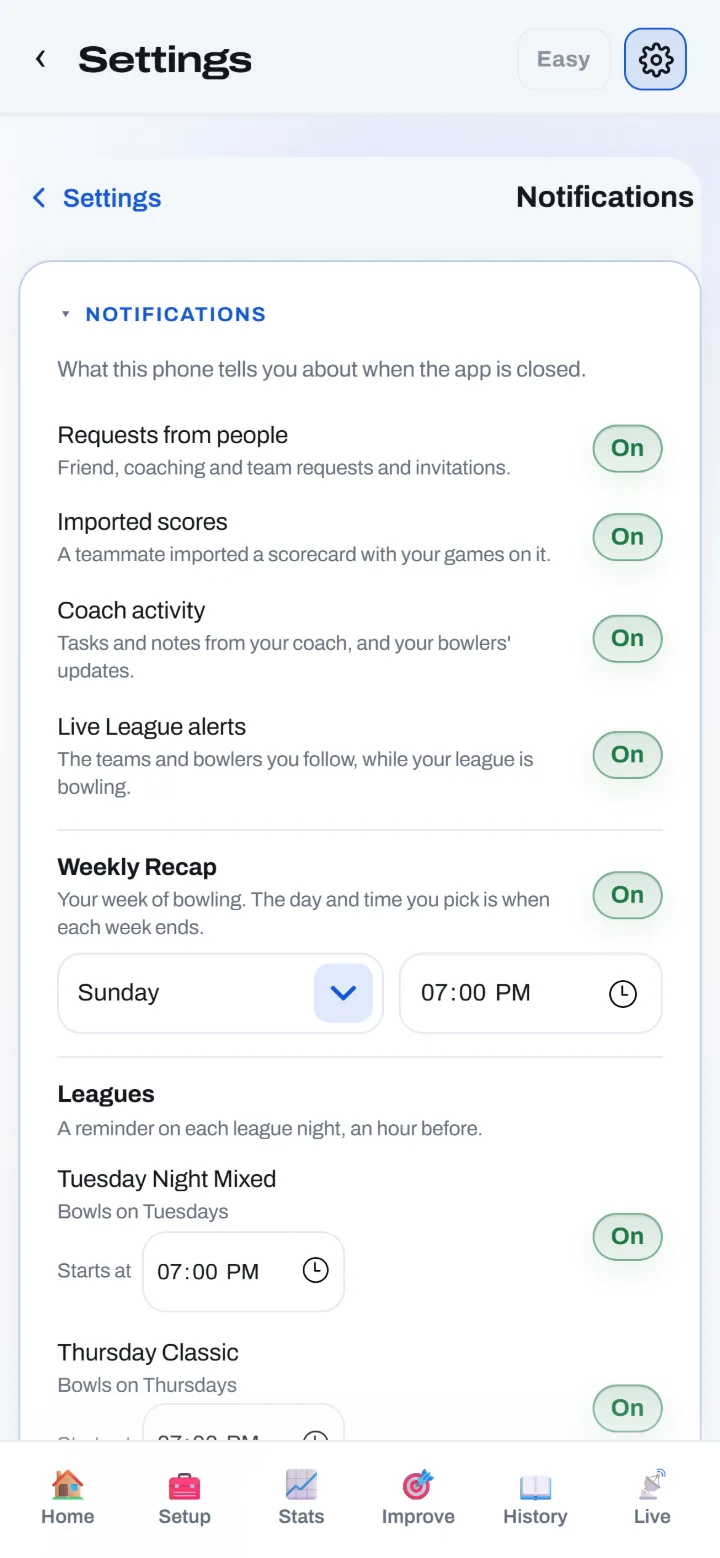
League night reminders
The reminder comes an hour before your league starts. If it doesn't:
- Is the league on? Its line under Leagues says On. A league you sub in is off until you turn it on.
- Does the app know your night? The line says which night, like "Bowls on Tuesdays". If it asks Which night do you bowl?, pick it.
- Is the time right? Starts at is 7:00 PM until you change it, and the reminder comes an hour before it.
- Is the season over? Reminders come only during your league's season: from the start date in its Season dates to the end date. With no dates set, that's 15 August to 15 May, or 16 May to 14 August for a summer league.
- Is the league hidden? A hidden league isn't listed and isn't reminded.
- New phone? Each phone keeps its own reminders. A new one starts with every league on except the ones you sub in, so check its switches.
The phone sets these reminders itself, so they come with the app closed and no signal. Each time you open the app, it sets up your next ones.
The other notifications
- Requests from people, Imported scores, Coach activity and Live League alerts come over the internet, so your phone needs a signal. They come to a phone only while you're signed in on it.
- Live League alerts are only for the teams and bowlers you follow, while your league is bowling. See Following teams and bowlers.
- The Weekly Recap comes at the day and time you set, and only in a week you bowled or practiced. See The Weekly Recap.
On the website there are no notifications, but Add weekly reminder in Setup > League puts your league night in your calendar. It shows once your saved nights show which night you bowl. See Turning on reminders.