 MY BOWLING JOURNEY
Every league you're in lives on Setup > League. It has two tabs:
- Join or add: a league code box, and the steps to join your league or add it. Your first league is on Adding your first league, team and bowlers, and codes are on League codes.
- My leagues: each league you're in, and its settings.
With no league yet, My leagues says "You haven't joined a league yet. Find yours under Join or add."
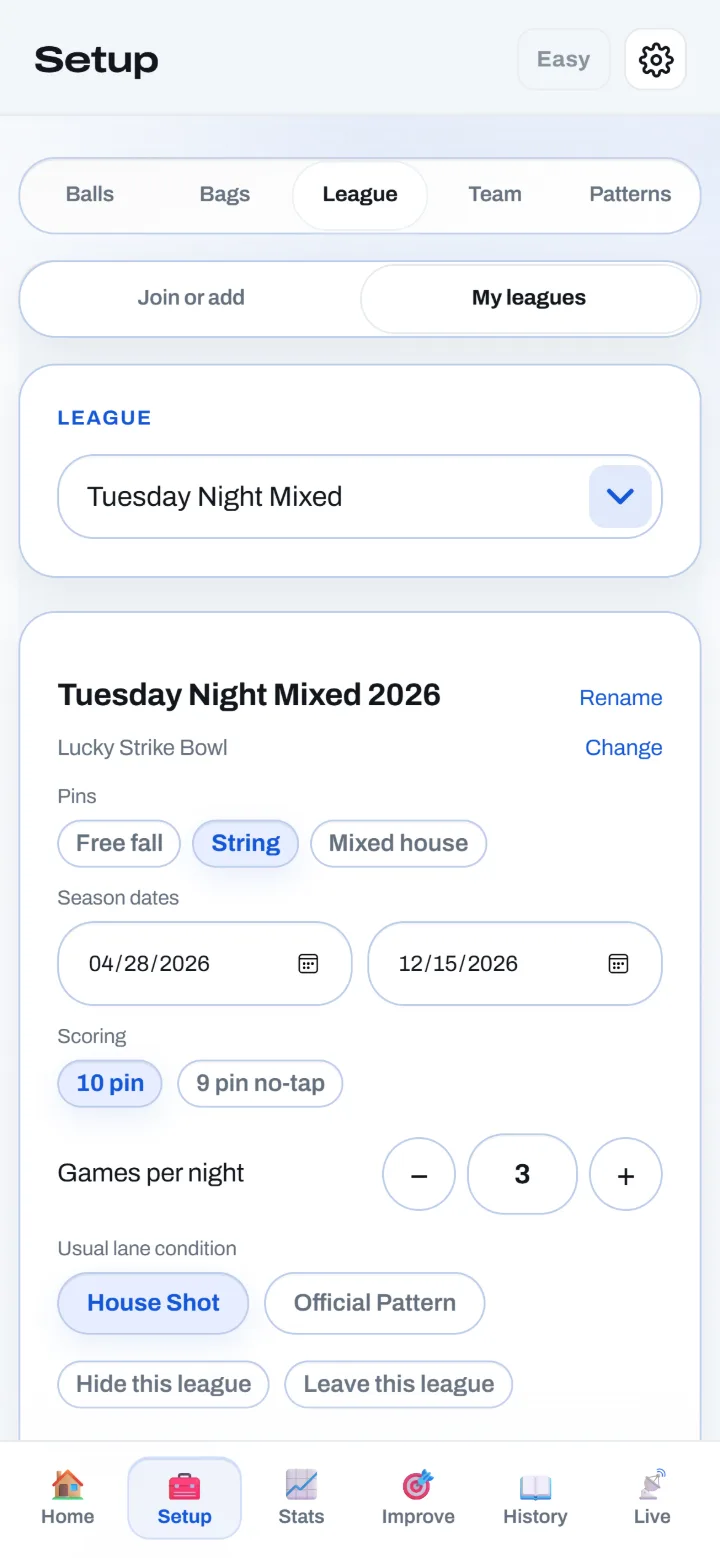
Pick a league
In two or more leagues? Pick one in the League box at the top of My leagues. Its card is underneath. With one league, its card is all there is.
A league's settings are everyone's
The league's card is shared by every bowler in the league. Change something here and it changes for all of them. Only Hide this league is yours alone.
- The name. The heading shows it with the season, like "Tuesday Night Mixed 2026". Tap Rename, type the new name and tap Save, or Cancel. Every night you've bowled in it goes with it.
- The league code, under the name. See League codes.
- The bowling center, with Change beside it. See Bowling centers.
- Season dates: the first and last night. They decide what This season counts for this league in Stats, and the league night reminder stops once the end date has passed. Until both are set, a line under the boxes says which dates the app counts as this season.
- Scoring: 10 pin or 9 pin no-tap. Every league is 10 pin until you change it. In a 9 pin no-tap league, nine on the first ball counts as a strike. Those strikes are kept apart from your regular strike percentage, and the league is averaged on its own, out of your combined average.
- Games per night: tap − or + to set it, from 1 to 8. It starts at 3. Scoring goes to Results after the last game.
- Usual lane condition: House Shot or Official Pattern. See A league's oil pattern.
Once you've saved 3 nights in a league, most of them on the same night of the week, a line under its settings says which night it bowls, like "Bowls on Tuesdays". On the website, Add weekly reminder beside it saves a calendar event that reminds you an hour before. The phone apps remind you by themselves: see Turning on reminders.
The teams in the league
Under the settings, every team in the league is listed with how many bowlers it has, like "6 teams in this league". Each one you're on says Your team, with Sub beside it on a team you sub for.
- Ask to join beside a team you're not on. It shows Asked once it's sent. See Joining a team.
- Leave team beside a team you're on. The app says what changes before you say yes, like "Leave Spare Me the Details? You'll no longer be part of Tuesday Night Mixed. Your teammates (Ally Lane, Gus Gutterson) will see you've left. Your past scores and averages stay."
Under the list, Add a team makes a new team in this league: type its name and tap Add. It opens on Setup > Team, ready for teammates. See Your team and roster.
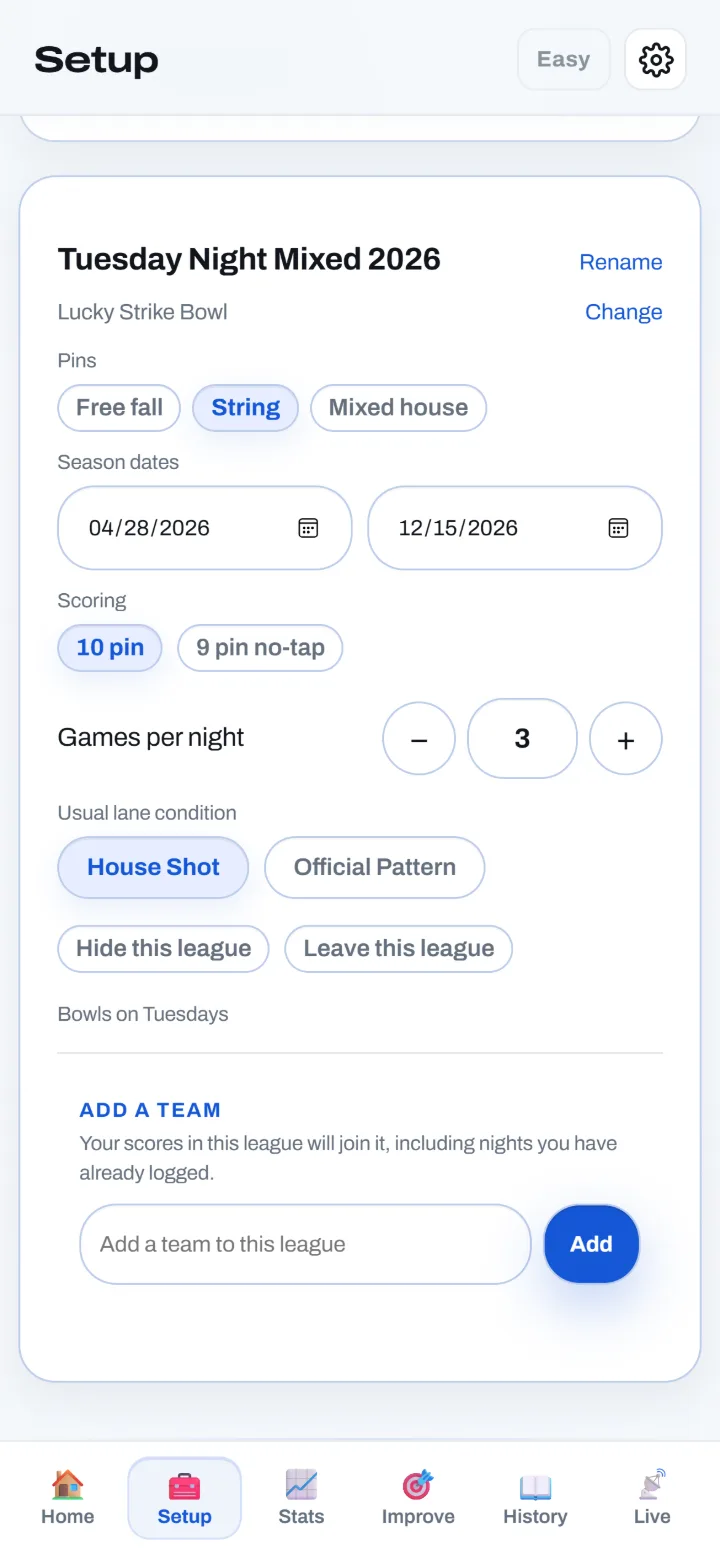
Two copies of one league
If other bowlers added a league with the same name as yours, the card says so, like "Other bowlers have a "Tuesday Night Mixed" too", and lists each one by its center and how many bowlers are in it. If one of them is your league:
- Tap Combine beside it.
- The app asks first. Your games, teams and league settings move into the shared league, and you'll see the teams already there. This can't be undone.
- Say yes. The app reloads with the leagues combined.
Only the bowler who added your copy can combine it. Anyone else is told "Only the bowler who added this league can combine it. Ask them, or join the shared league from a join code."
Hide this league
Hide this league takes the league off your league choices when you score. Its nights also leave Home and Stats, so they're out of your averages until you show the league again. They stay in History. Hiding is yours alone. Your teams, teammates and scores stay as they are.
To bring it back, tap Hidden (show again).
Leave this league
Leave this league takes you off your teams in the league and hides it. It asks first, like "Leave Tuesday Night Mixed? You'll be taken off Spare Me the Details. It will no longer show when you pick a league. Your past scores stay."
Changed your mind? Hidden (show again) brings the league back, but not your place on its teams. Join your team again with its code, or ask to join.
Free and Pro
- The free plan covers one league. Practice and open bowling don't count as leagues.
- With your one league in, Join or add shows More leagues in place of the code box and the add steps: "The free plan covers one league. Bowling a second one (a summer league, or Tuesday and Thursday) is part of the paid plan. Nothing you have already logged goes anywhere." with See what Pro adds.
- Once you're on a team, Add a team gives way to More teams: "The free plan covers one team. Your scores keep counting for the team you are already on."
- More than one league when Pro ends? See The Pro trial and your active league.