 MY BOWLING JOURNEY
Can't make a league night? Bowl those games early. The app saves them under the night they count for, not the day you bowl them, so they land in the right week.
Prebowling is on a league night's Set up tab, under the date in Tonight's Session. It shows once you've picked a league.
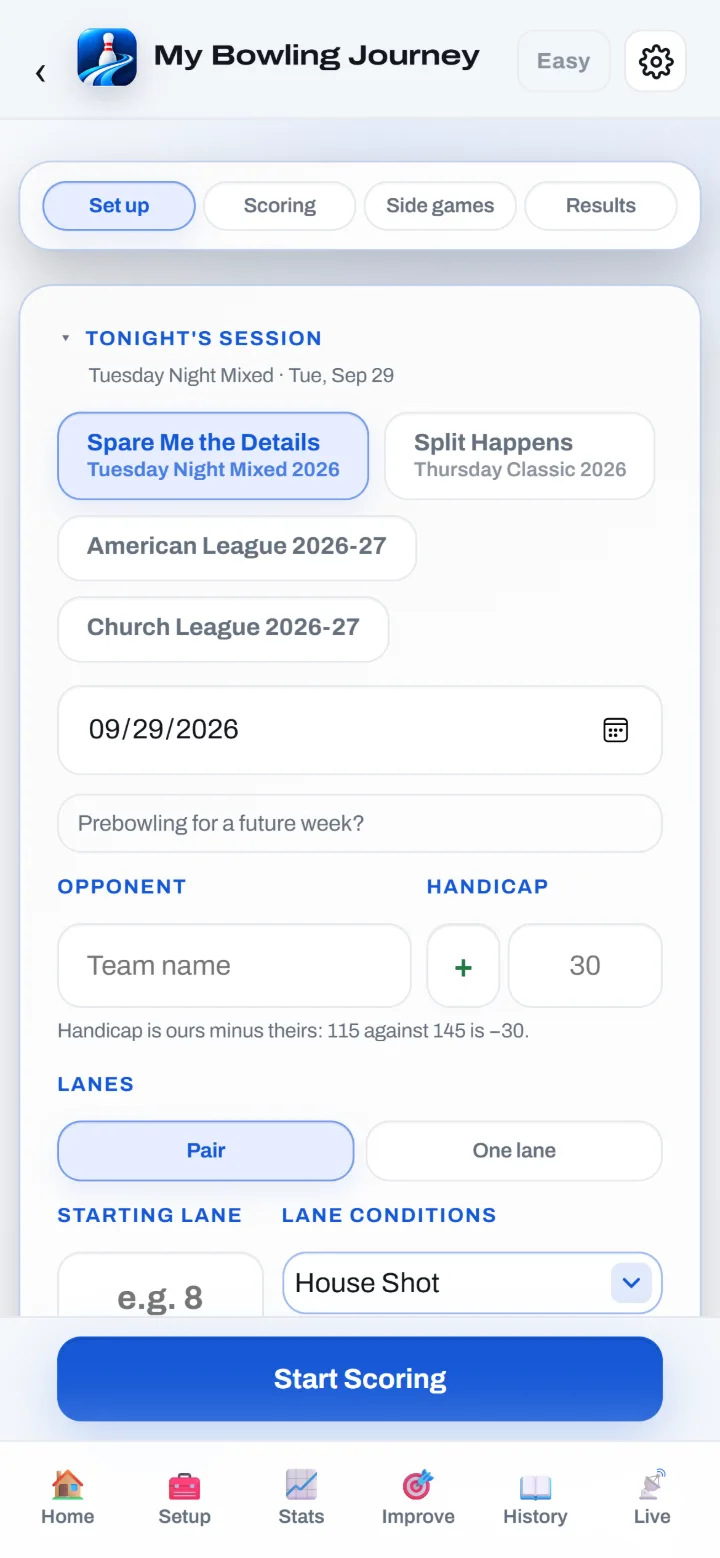
Prebowl a future week
- On Home, tap League.
- On Set up, tap the league you're prebowling for.
- Under the date, tap Prebowling for a future week?
- The date moves to your next league night and the button turns to ✓ Prebowling. The line under it says which night the games count for: "Counts for Tue, Oct 6. Bowled today. Change the date above if that's the wrong week."
- Wrong week? Change the date in the box above the button.
- Fill in the rest of Set up and tap Start Scoring. Score the games the way you always do.
- On Results, tap Save and end league night.
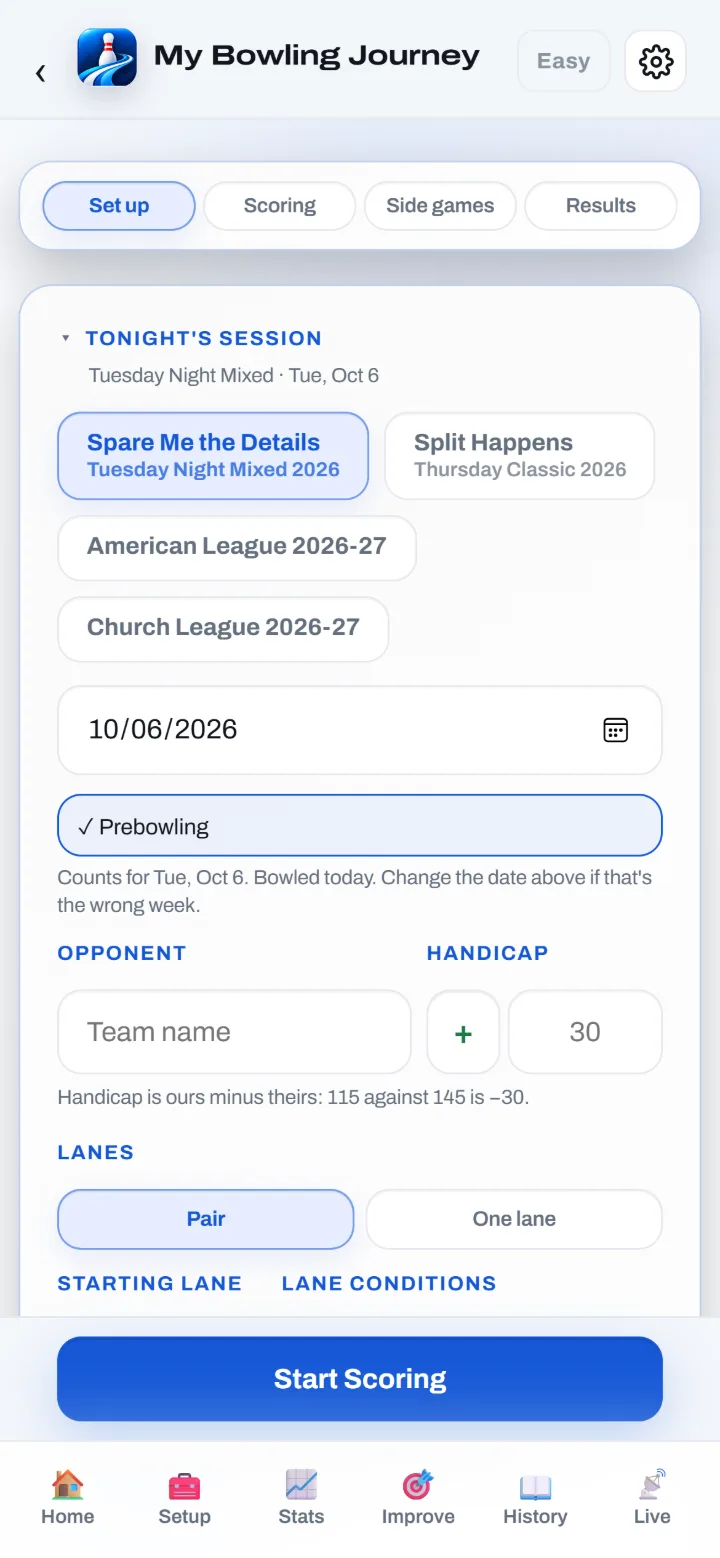
Which night it picks
- Your next league night after today, on the day of the week you bowl this league. Prebowling on league night itself moves the date to the same night next week.
- The day comes from the nights you've saved in this league. Until there are enough of them, it's the night you picked in Which night do you bowl?, or else the day the season starts. With none of those, the date moves to a week from today.
- Any date after today counts as prebowling. Type a future date in the box and the button turns to ✓ Prebowling too.
- Changed the date to one that has passed? The line under the button says "That date has passed. Prebowled games count for an upcoming session." Pick an upcoming date.
- Tap ✓ Prebowling to go back to today.
After you prebowl
The app keeps the day you bowled it as well as the night it counts for. History and the night's Results say "Prebowled" and that day, and Prebowls vs league nights on Stats puts your prebowls beside your other league nights.
Until that night, Home's Upcoming · line shows it, unless something else is dated later. Tap it to open its Results.
Left a prebowl you started from Home's Upcoming · line before saving? The games you finished are saved for you.
Prebowling and bowling tonight
The prebowled games are saved under next week's date, so they never land on tonight's night. You can bowl both on one night, in either order:
- Score one set and save it on Results. Once it's saved, the date goes back to today.
- On Home, tap League again.
- To prebowl now, tap Prebowling for a future week?. For tonight's games, leave the date on today.
- Score the other set and save it.
When that night already has scores
If you already have a night saved on that date, the line under the button warns you instead: "You already have a session on that date. Saving would overwrite it." Change the date, or tap ✓ Prebowling to go back to today.
After it's saved
- It's a league night like any other, saved under the date it counts for.
- Tonight's Goal (Pro) works for a prebowl too. It shows for tonight or any night ahead.
In Easy mode
Easy mode has no prebowling button. Set the Date to the night the games count for, type your games and tap Save League. See Scoring in Easy mode.