 MY BOWLING JOURNEY
There's no save button to remember while you bowl. Every frame is saved the moment you finish it. At the end of the night you look over Results and save the night, and that's it.
What saves as you go
- Frame by frame: each frame saves when you finish it, with Save frame, or the moment you tap Strike, Spare or Missed.
- A first ball that leaves pins is saved together with its second ball. Close the app between the two, and you'll enter that frame again.
- The details sheet: the ball is already saved when the sheet opens. Its details save when you close the sheet.
- Game Tracking: Save game 2 (it names the game) saves that score and moves on to the next bowler or game.
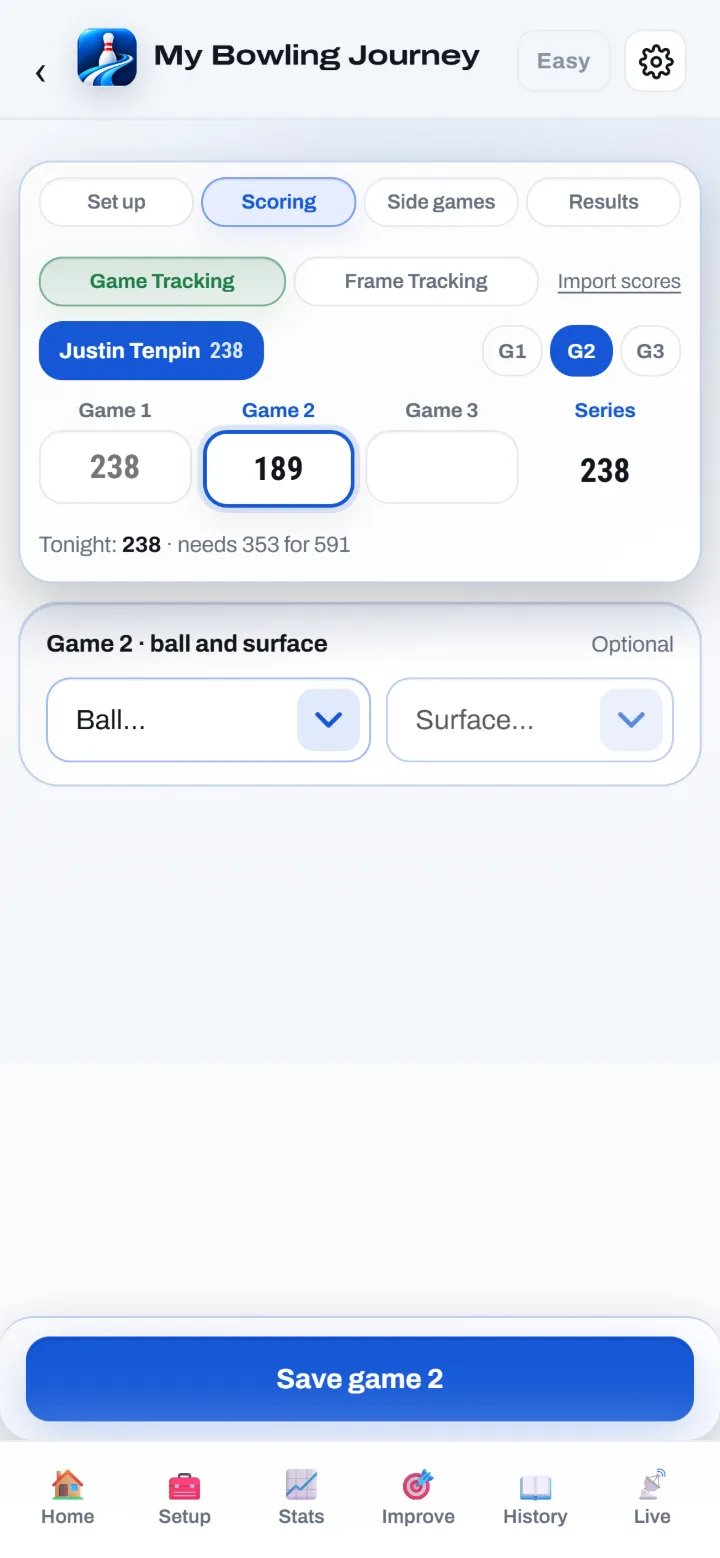
- Side games, points and typed scores save as you enter them.
Finish a league night
- Bowl the last game. When everyone you're scoring has finished it, the app saves the night and opens Results by itself. You can also tap the Results tab any time, or View Results on Side games. Looking at Results doesn't end the night.
- On Results, check your games, mark Points Won, and add anything to Session Notes.
- Tap Save and end league night.
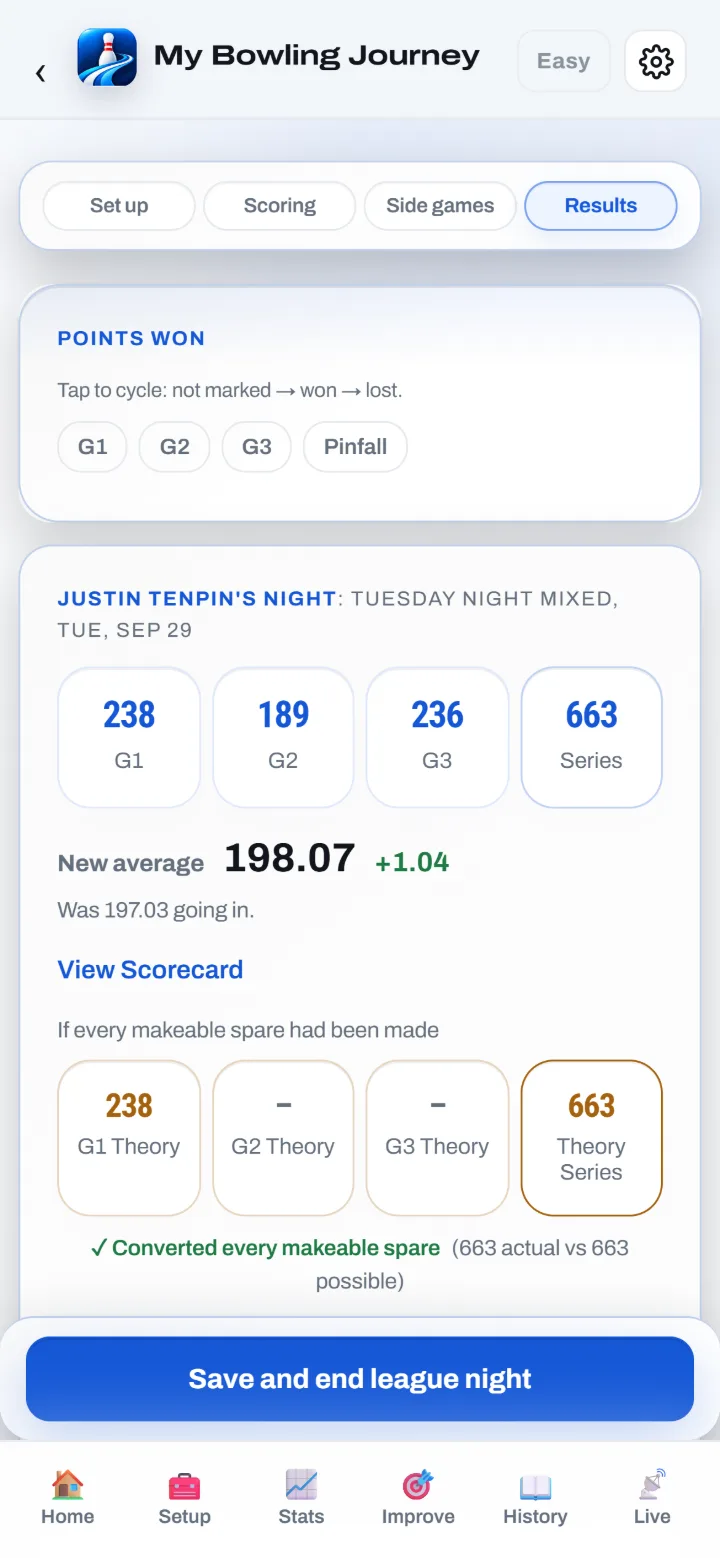
That saves your night, and a night for each teammate you scored on this phone, then takes you Home. Next league night starts fresh on Set up.
The first time, a card may ask "Want a reminder on league night? We'll remind you an hour before." Tap Yes or Not now. Either answer finishes saving.
Only finished games count in the night's scores. A game you bowled only partway, frame by frame, keeps its frames, but it isn't in your series until all ten frames are in or you type its score. If no game is finished yet, the app says No shots logged yet for this night and the night stays open.
Practice, open bowling and tournaments
Every mode ends the same way: look at the results, then save and finish.
- Practice: tap View Results, then Save and end practice on Results.
- Open bowling: tap End Open Bowling & View Results, then Save & Finish Open Bowling on Results. The first button saves the night already. It needs at least one score, or it says Enter a score first.
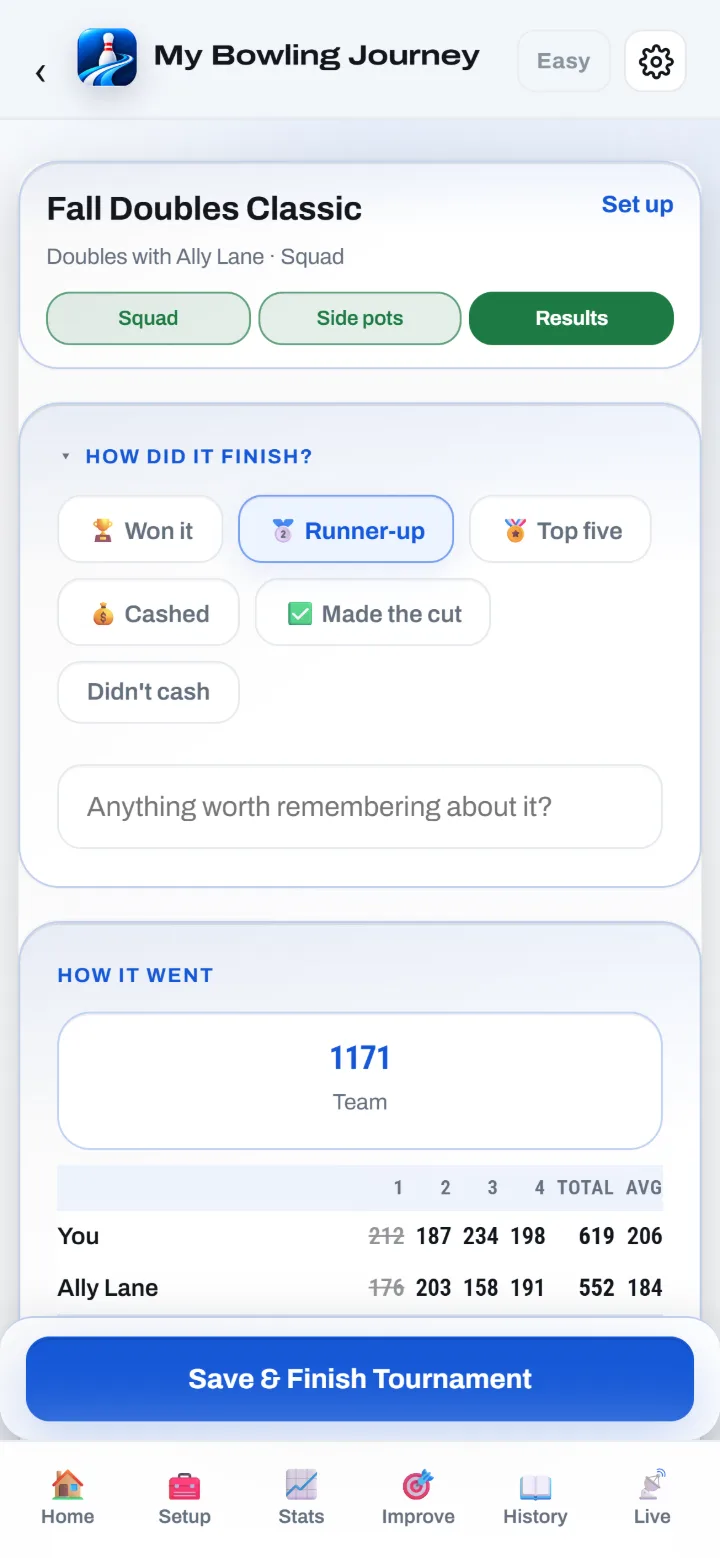
- Tournaments: tap View Results from a stage where you type game scores. It saves the tournament and today's games and opens Results, and the tournament stays open there. On Results:
- Save & Finish Tournament saves it, clears it and takes you Home. It's in your history.
- Close tournament, once it's saved, asks "Close this tournament and start a new one? It stays in your history." Tap Yes, close it, or Keep working on it.
When you score frame by frame, the pin deck sits where those buttons go. Tap the Results tab (in a tournament, Results on the stage strip) to get to them.
Cancel a night
Picked the wrong league, or the night isn't happening? Cancel it. This deletes it, and it can't be undone, so the app asks first.
- League: Cancel League, at the bottom of Set up. It deletes tonight's shots, game scores and match points for you and for every teammate you scored on this phone tonight (frame by frame or with typed game scores), clears the setup and takes you Home. If a teammate already saved tonight in this league, the match points stay. Tap Delete and exit, or Keep bowling to back out.
- Practice: Cancel Practice, at the bottom of Plan, Drill and Accuracy, and of Games when you're not scoring frames on the pin deck. It deletes today's practice shots, game scores, drills and Accuracy sets. Tap Delete and exit, or Keep practicing.
- Open bowling: Cancel Open Bowling, under the scores. It deletes tonight's scores for everyone on the sheet.
A night you already saved is deleted from History instead. See Fixing or deleting a frame or a game.
Closing the app or losing signal
Nothing is lost when you close the app, the phone dies or the signal drops.
- Everything saves on your phone first, then goes to your account. With no signal, your changes wait on the phone in the order you made them, and go up when the connection comes back. Keep bowling.
- Coming back: open the app and Home is still your night, until you save it or 4 AM. A league night opens on Scoring with the same league and date, so you carry straight on.
- Forgot to save? At 4 AM the app saves any night still open (its finished games) and closes it. A tournament you started is saved and closed too. Next time you open the app, Home is back to normal, and League starts a new night on Set up.
- Changes still waiting: Settings > Your data > Refresh from the Cloud tells you how many changes haven't been sent yet.
- Signing out: if any changes haven't reached the cloud, Sign out warns you and says how many. Wait until you have signal.
- Two phones: while you're scoring on one phone, another phone on your account can look at tonight but not change it. It says "You're scoring on another device right now. This device can view tonight, but can't change it until the other one leaves scoring."