 MY BOWLING JOURNEY
There are two ways to score a night. Choose on Set up under How will you score tonight?, or with the two chips at the top of Scoring.
| On Set up | On Scoring | What you enter |
|---|---|---|
| Frame by frame | Frame Tracking | Every ball, on the pin deck |
| Game totals | Game Tracking | Each game's final score |
Frame Tracking
You enter every ball: what you left, and what you picked up. The app scores the game for you as you go.
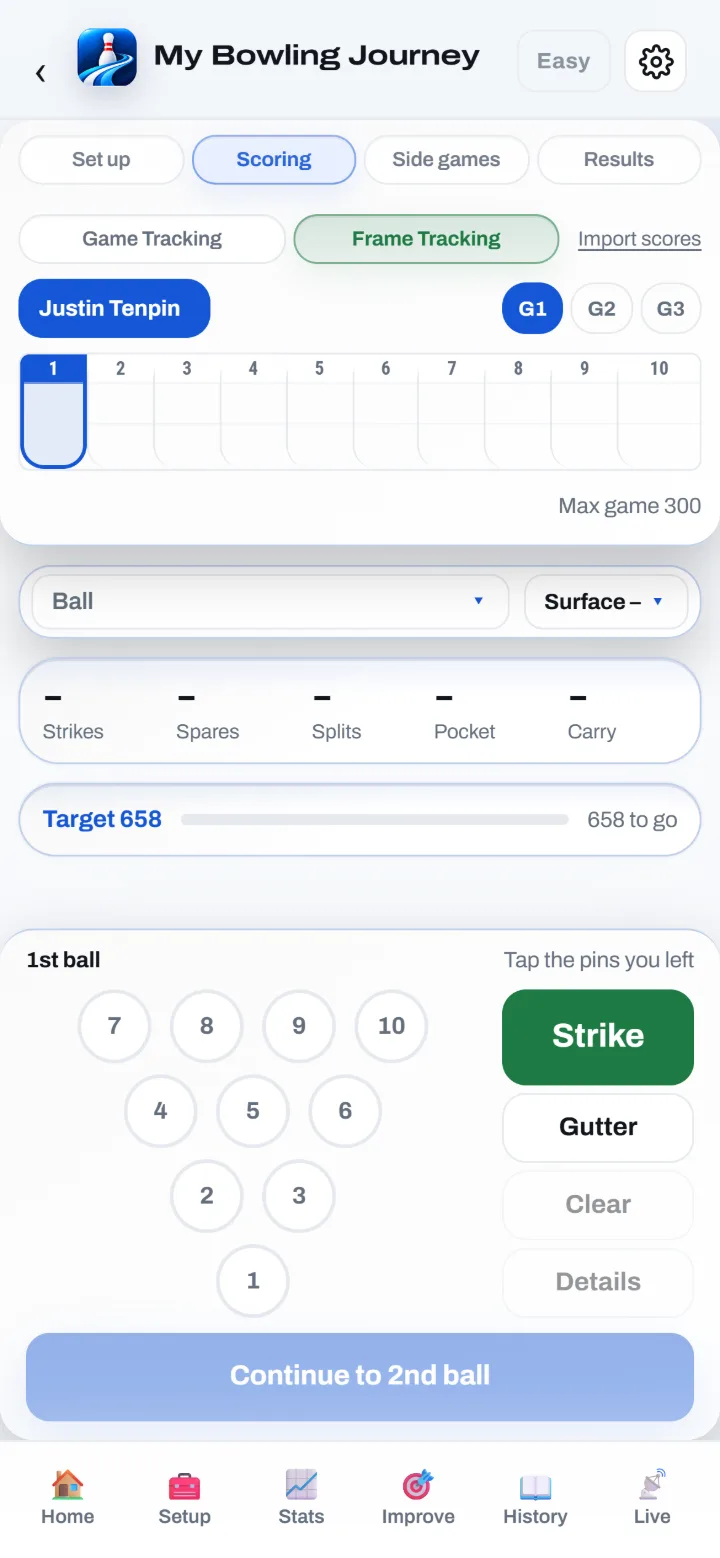
On screen: the scoresheet for the bowler you're scoring, the ball and surface you're throwing, tonight's strikes, spares, splits, pocket and carry, your Goal bar on a league night, and the pin deck at the bottom. How to use the deck: The pin deck, step by step.
Game Tracking
You type each game's final score, nothing else.
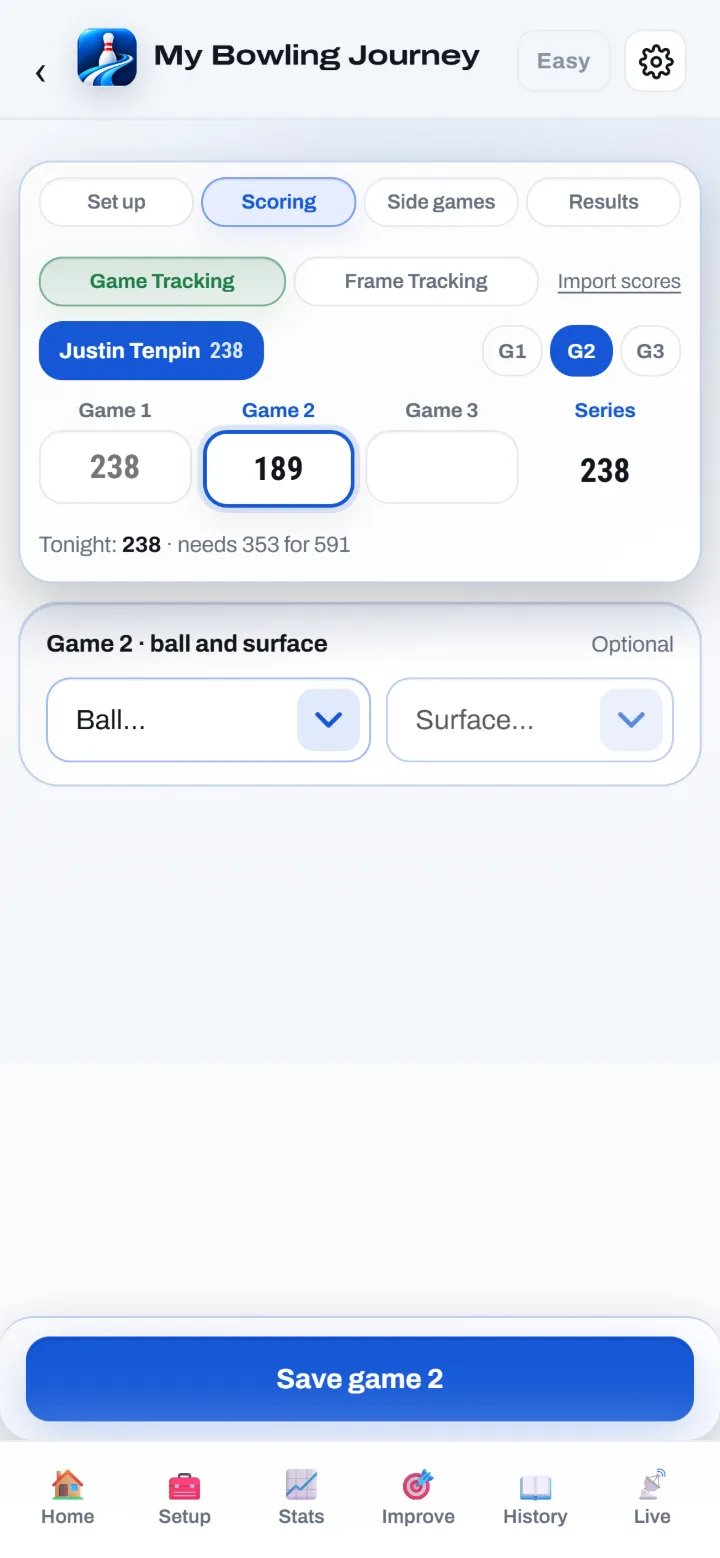
- Tap the box for the game (Game 1, Game 2 and so on).
- Type the score, from 0 to 300.
- Tap Save game 2 at the bottom (it names the game you're typing).
- Series adds up the games you've saved.
- The line under the boxes shows tonight's games, and on a league night something like "needs 353 for 591". 591 is your average in this league this season (before tonight) times tonight's games, and 353 is what the games left need to get there. It goes once you're there.
- Under the boxes, the Game 2 · ball and surface card lets you note the ball and surface you used for that game. It's Optional.
- Scoring teammates too? After you save a game, the next bowler in the lineup without a score for that game comes up.
- When the night's last game is saved for everyone, the night is saved and Results opens.
Which one to use
- Frame by frame if you want to know how you bowled, not just what you shot: strikes, spares, splits, carry, and how each ball does.
- Game totals if all you want tonight is your scores, or you're short on time. Your average still counts every game.
You don't have to pick one for the whole night.
Switching for a game
- Tap Game Tracking or Frame Tracking at the top of Scoring any time. Games already entered keep what they have.
- A game with a typed score counts as finished on Frame Tracking. The pin deck goes on to the next game that doesn't have one.
- On Game Tracking, a game you bowled frame by frame shows its score faintly in its box. Type a score there and the typed score is the one that counts, over the frames.
- Your choice stays on this phone for your next night until you change it.
- Practice has the same two chips on its Games tab.
What each one counts toward
| Frame by frame | Game totals | |
|---|---|---|
| Your average, high game and high series | Yes | Yes |
| Strikes, spares, splits, pocket and carry, and every card built on them | Yes | No |
| The scoresheet, frame by frame | Yes | No |
| Ball care game counts | Yes | No |
| Scores by ball in Trends | Yes, when you pick the ball as you bowl | Only if you note the ball for the game |
A game with only a typed score adds nothing to the strike and spare figures, so a night bowled half and half shows them for the frame-by-frame games only.