 MY BOWLING JOURNEY
When you score frame by frame, a sheet comes up after the first ball of each of your frames and asks for its details: how a strike hit, your line, your release and more. This card in Profile turns that sheet off for good, or back on, and brings back the parts of it you took away.
All about the sheet itself: Details: ball, surface and where the ball went.
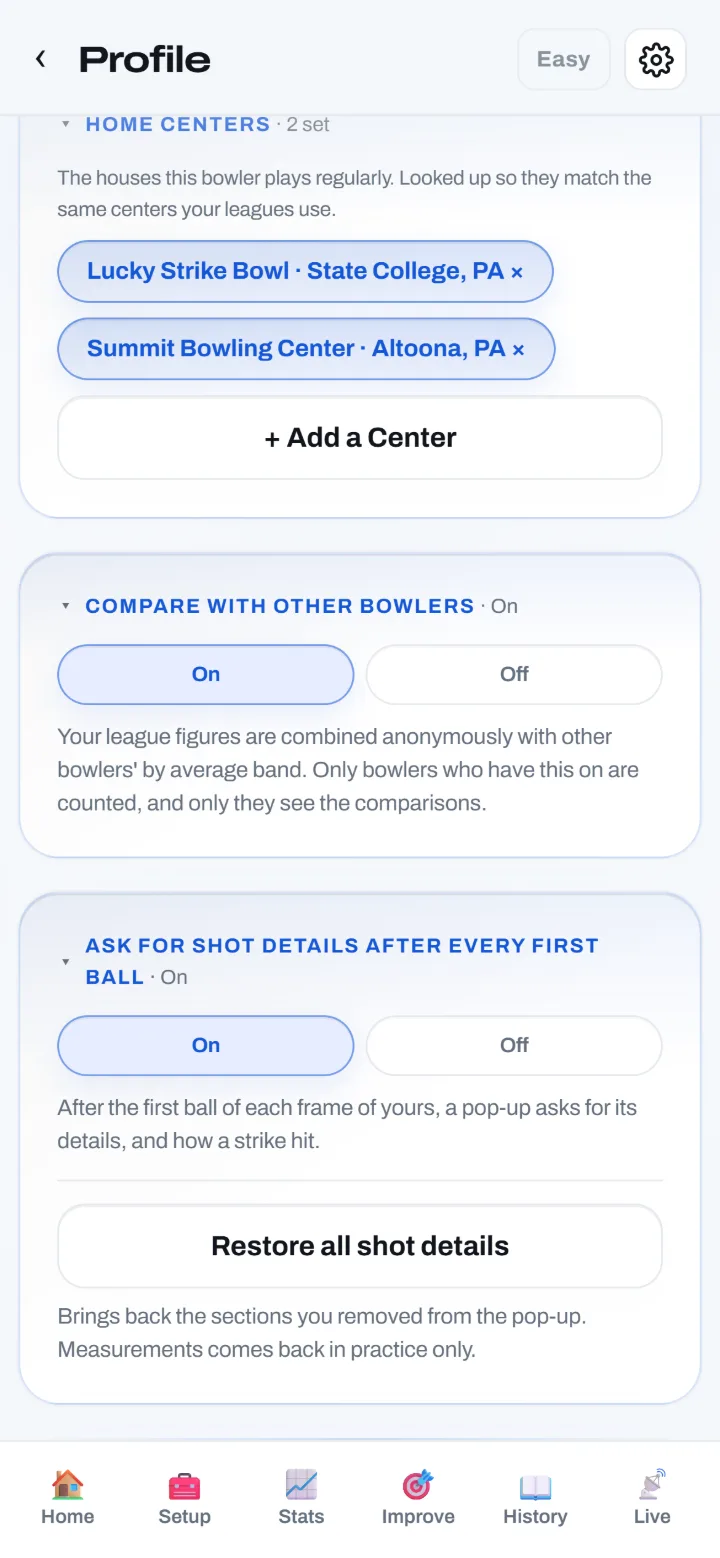
Turning it on or off
- Go to Settings > Profile.
- Find Ask for shot details after every first ball, near the bottom. Its heading says On or Off.
- Tap On or Off.
- Off is the same as tapping Always under Hide this pop-up: on the sheet. Hid it with Always? This card shows Off, and On brings the sheet back from your next ball.
- This game and Tonight on the sheet only hide it for that game or that night. This card doesn't change them.
- It's saved with your account, so it's the same on every phone you use.
With it off, your scores save just the same. Details on the pin deck still opens the sheet for your last ball whenever you want it.
Restore all shot details
On the sheet, Remove takes a section off for one kind of bowling: league, tournaments or practice. To bring them all back:
- Tap Restore all shot details on this card.
- The app asks first: "Restore all shot details? Every section comes back as it started, Measurements in practice and league only." Confirm it.
- The card says "Restored."
Every section comes back the way it started. Measurements comes back in practice and league only. Nothing you already saved was ever deleted.