 MY BOWLING JOURNEY
Brackets and side pots are the side action at a tournament: kept apart from the entry fee, so you can see which ones pay for themselves. Tracking them is part of Pro.
Turning it on
On Set up, under Side action?, tap Brackets, Side pots or both. A stage called Brackets (Side pots if that's all you picked) joins the row before Results.
On the free plan, Side action? says "Tracking brackets and side pots at a tournament is part of Pro." with See what Pro adds. If Pro ends after you picked them, the stage says "Working out brackets and side pots as you go is part of Pro." with the same button. Side games in league stay free: see Side games during a night.
Adding what you bought
- Open the Brackets stage.
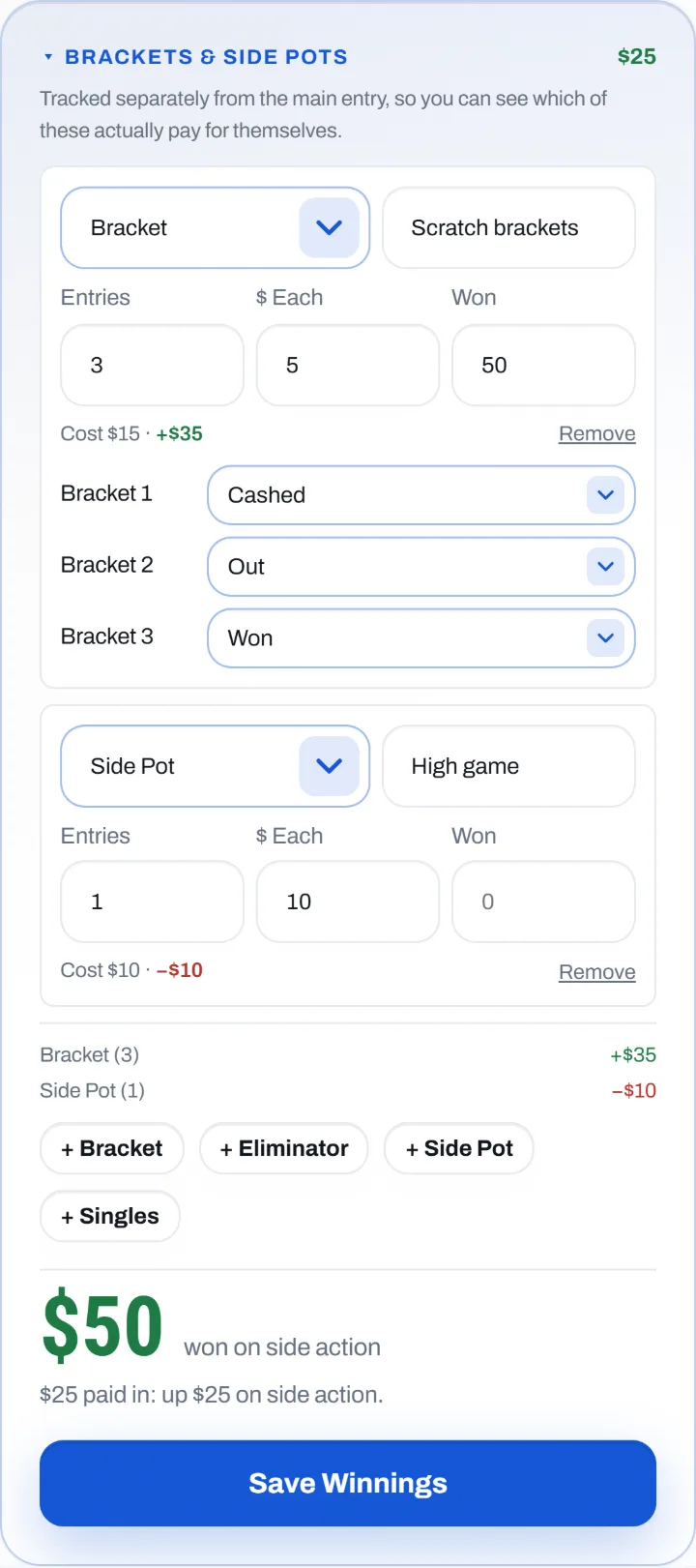
- On the Brackets & Side Pots card, tap the button for what you bought: + Bracket, + Eliminator, + Side Pot or + Singles.
- Give it a name in Label (optional) if you like, like Scratch pot.
- Type how many in Entries and the price of one in $ Each. Four brackets at $5 is one line: 4 and 5.
- When it pays, type what you got in Won.
Each line shows its Cost and whether it's up or down. Tap the kind to change it, or Remove to take the line off. Everything saves as you type.
Alive, Out, Cashed or Won
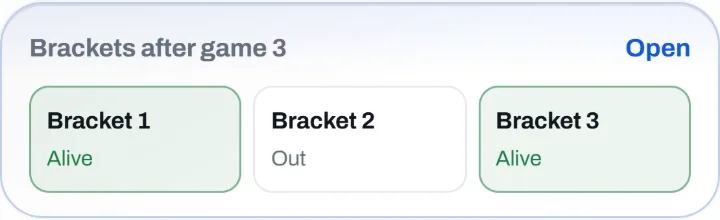
Every bracket you bought gets its own line, numbered across all your bracket lines: "Bracket 1", "Bracket 2" and so on. Between games, check the sheet and pick each one's status: Alive, Out, Cashed or Won.
The same brackets show under your games on the squad or block, like "Brackets after game 2". Tap Open there to come back here.
What it adds up to
- With more than one kind, a line for each: how many you bought and whether it's up or down.
- At the bottom, what you won in big numbers, like "$40 won on side action", and under it what you paid in and whether you're up, down or even on side action.
- Save Winnings says ✓ Winnings Saved. Once every game is in, it also marks the stage done and opens Results.
Once qualifying is done, the stage also turns green on its own when no bracket is still Alive.
The money goes into the tournament's Cash Book on Results, and into the Tournament tab of the Cash Book in Stats. See How it finished and The Cash Book.
Singles
A Singles pot is a side event on your own games, whatever the event is. When only the best games count, it drops your own lowest games, whatever your team or partner dropped. On Results it gets its own total in How it went (and its own table in a doubles or team event), and How did it finish? asks how you finished in it.
With separate events that include a Singles event, that event is your singles, so a Singles pot only adds its money.