 MY BOWLING JOURNEY
Both are sudden death: win and you go on, lose and you're done. There are no bonus pins. Pick Stepladder or Finals bracket under Then what? on Set up, and they open as Ladder and Finals in the row of stages.
The stepladder
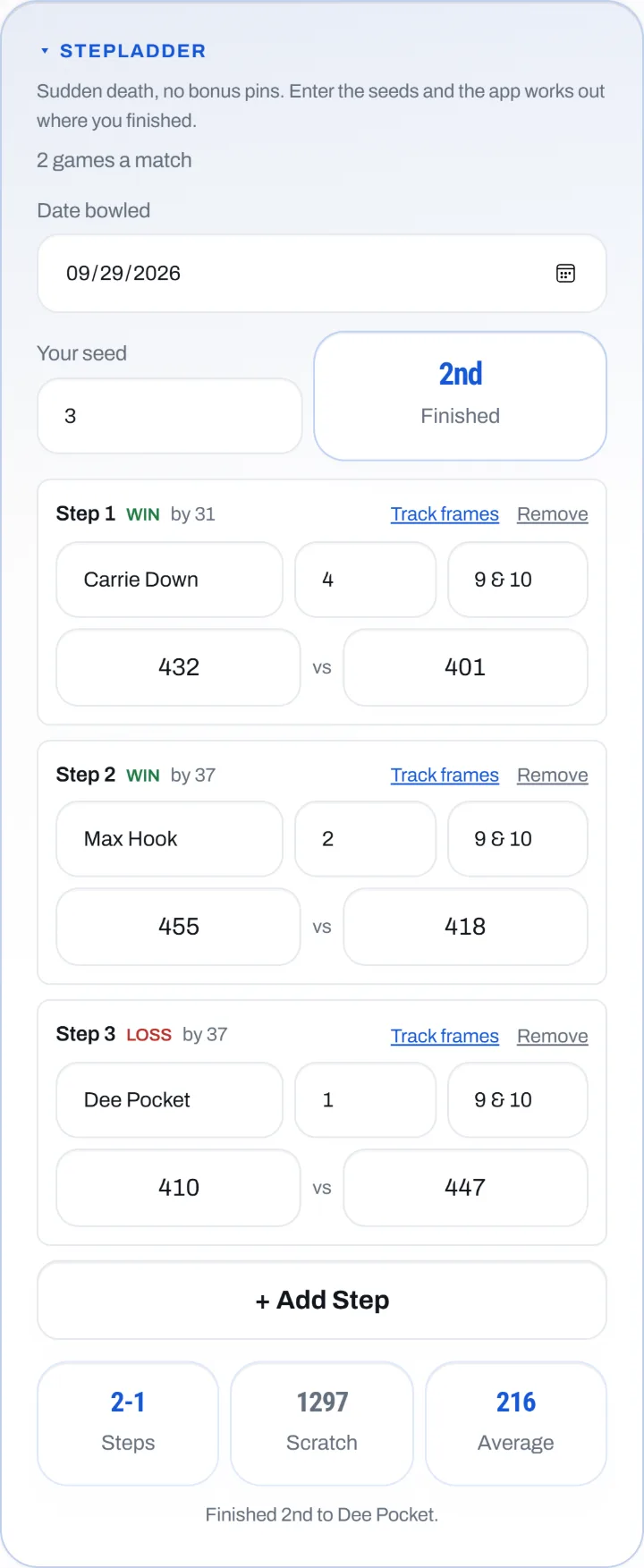
On Set up, the Stepladder row's Edit has How many bowlers are in it (5 to start) and Games a match (one to start). With more than one, each step is decided by your total over its games against theirs, and the card says "2 games a match".
- On the Stepladder card, set Date bowled and type Your seed.
- Tap + Add Step for each match you bowl.
- Type the Opponent's Name, their Seed and the lane. In a handicap event, their handicap goes in Opp hcp: their team's, in doubles or a team event.
- Type your score under You and theirs under Them. In a step of more than one game, type the totals. In doubles or a team event, a step is your team's total against theirs: the box reads Team. In a handicap event, each handicap counts once a game, and your team's is everyone's added up: yours plus your partner's, or each teammate's, from Set up.
Each step says win, loss or tie, and by how many. A tie asks Did you win the roll-off?: tap Yes or No.
With your seed in, the app works out where you finished and shows it under Finished: beat the top seed and you won it. Under the steps: your Steps won and lost, your Scratch pins and your Average a game, and a line like "Won the stepladder, 3 straight." Scoring frame by frame, Track frames on a step points the scorecard at its game (the next one not finished, in a step of more than one), the same as in match play. Your score fills in once every game of the step is bowled, except in doubles or a team event, where you type the team's total.
The finals bracket
On Set up, the Finals bracket row's Edit has how many are in the bracket (4, 8 or 16) and Games a match. The rounds are named for its size: 8 play a Quarterfinal, a Semifinal and a Final, 4 start at the Semifinal, and 16 add a Round of 16.
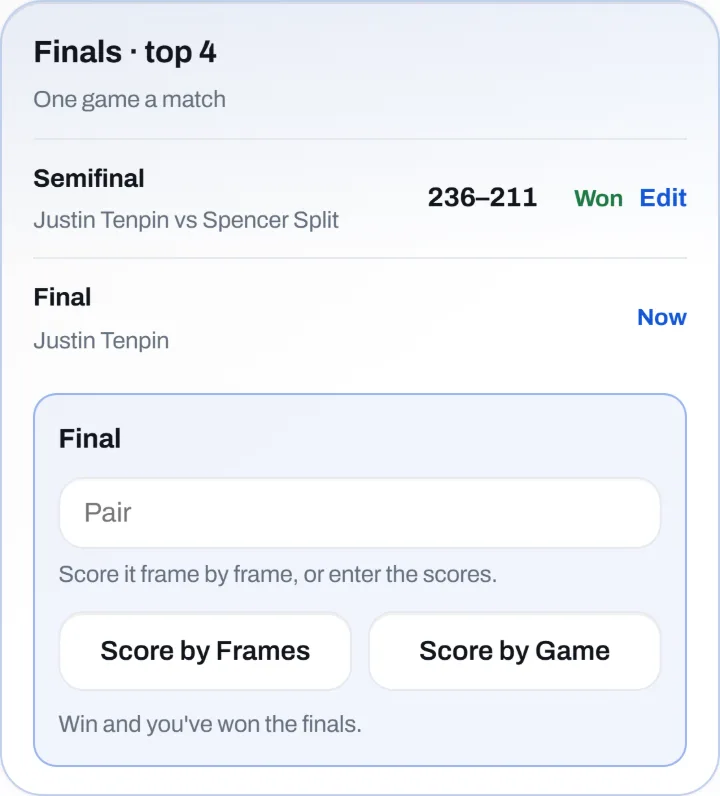
The Finals card lists every round with who it's against, the scores, and Won, Lost or Now for the round you're on. Under them, the round you're on has its own card.
- Type the lane or pair for the round.
- Tap Score by Frames to bowl it on the scorecard, or Score by Game to type the scores.
- With Score by Game, type the Opponent, your score under You and theirs under Them, then tap Done. With Score by Frames, your score fills in when the round's games are finished, and the card then asks for theirs.
- In a handicap event, their handicap goes in Opp hcp beside the lane: their team's, in doubles or a team event. Type the scratch scores; the app adds each handicap once a game, the same as in match play and the stepladder. Your team's handicap is everyone's added up, from Set up.
- In doubles or a team event, the round reads like "Justin Tenpin and Ally Lane vs ..." and is your team's total against theirs: the box reads Team. Your frames are only your own game, so tap Score by Game and type both totals.
- A tie asks Did you win the roll-off?. In a handicap event, a tie is on the handicap totals.
Each round in the list shows the scores it was decided on, with the handicaps on in a handicap event. Win and the next round appears. Lose, or win the Final, and the bracket closes with your finish, like "Lost in the semifinal" or "Won the finals". Edit beside a round you've played opens it again.
At a Baker event, the round's card says who leads off, counting on from the games already bowled that day.
Your finish on Results
When the stepladder or the finals settle where you finished, How did it finish? on Results is filled in for you, if you haven't picked something yourself:
- Won the stepladder or the finals: Won it.
- Finished second in the stepladder, or lost the Final: Runner-up.
- Finished third to fifth in the stepladder, or lost a Semifinal: Top five.
Whether you cashed is up to the event, so the app never picks Cashed for you. If what you picked differs from what the ladder or bracket says, a line in red says so, like "The finals say runner-up." See How it finished.