 MY BOWLING JOURNEY
Season Record is your team's win-loss record in its league, built from the points you mark on league nights. It's on the Team chip in Stats, and it's free. Its title is your team's name, like "Spare Me the Details season record".
What it shows
- The big number is the points your team won out of the points marked, like 18/24, with "points won" beside it. Points decide the standings, so they come first.
- The line under it says how they were won: games won and lost, then the pinfall point won and lost, like "13-5 on games, 5-1 on pinfall."
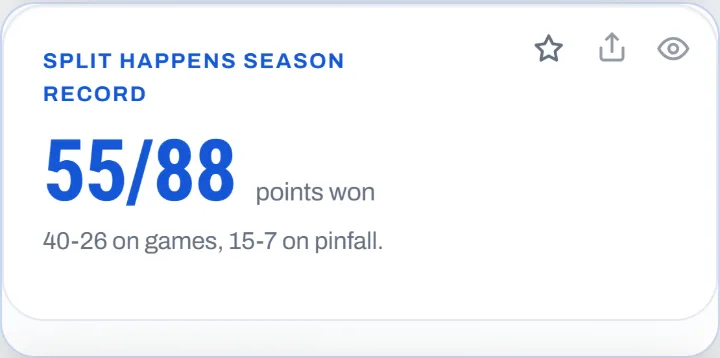
Where the points come from
The card adds up Points Won from each league night's Results tab:
- On a league night, tap Results.
- Under Points Won, tap each point: G1, G2 and so on, one for each game your league bowls a night, then Pinfall.
- Each tap moves it along: not marked, then won (✓), then lost (✗), then back to not marked.
Each game is a point and the pinfall (the series) is one more, so a 3-game league plays for 4 points a night and a 2-game league for 3.
A point left not marked is neither won nor lost, and it isn't in the total either. Mark every point, won or lost, and the record adds up right.
What it counts
- The team picked at the top of the Team chip, in its league. On two teams? Each team's points stay on its own card.
- This season or Career, whichever is picked under the chips. This season is your team's league's season.
When it shows
As soon as one point is marked won or lost for your team. Until then it waits on the Not yet list at the bottom of the Team chip: "Win-loss record. Record match results on a league night."
The same points, night by night, are on Weekly Points.