 MY BOWLING JOURNEY
Team on Stats is your team's side of things: the match, your points, and the bowlers beside you. It shows one team at a time.
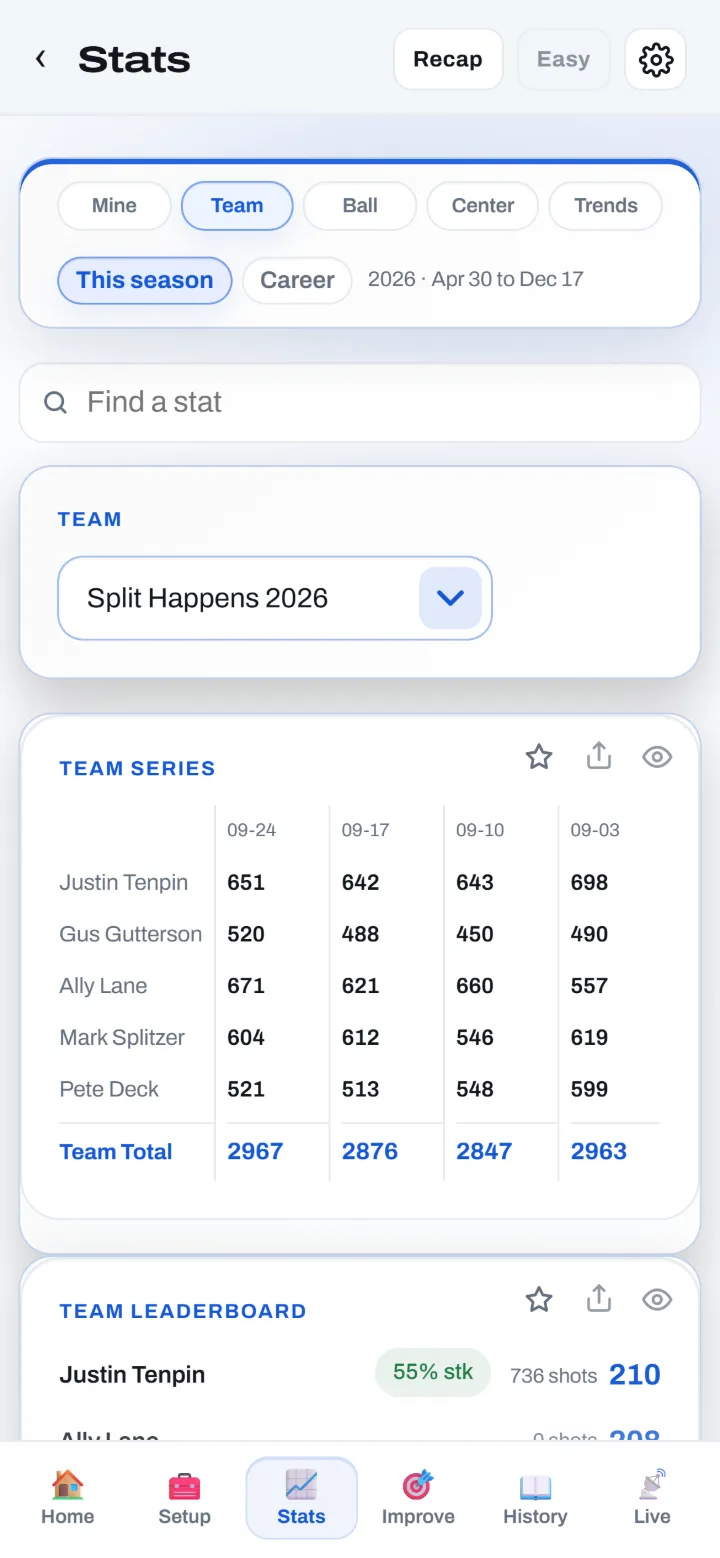
Picking a team
The Team box at the top lists every team you're a full member of, in a league you've bowled in. Each one shows with its league's season, like "Split Happens 2026".
- Tap the Team box.
- Pick the team you want. Every card on the tab switches to it.
Team opens on the team you bowled for last. A team you pick stays picked while the app is open.
- Teams you sub for aren't listed. Those nights still count in your own numbers on Mine.
- On two teams in one league? Each team is its own choice. See Bowling on more than one team.
What a team's cards count
- Only the nights bowled for that team. Mine counts all of your nights.
- Your teammates' nights too, whoever scored them. A teammate's games from a scorecard you imported count, even before they sign up.
- This season is that team's league's own season, by its Season dates when they're set. The dates show under This season.
"You're not on a team yet."
If you aren't a full member of a team in a league you've bowled, Team shows that line in place of the cards: "Team cards need your team: add yours, or join it with its code." A bowler who only subs sees it too.
- Tap Add or join my team.
- You're taken to Setup > Team. Add your team there, or join it with its code. See Your team and roster and Joining a team.
Invite team members
If you're the only one on the team you picked, Team shows Invite team members instead of the cards, like "You're the only one on Spare Me the Details so far. Team cards fill in once your teammates are on it." It shows only when nobody else is on the team's roster, not even an invite that's waiting, and nobody else has a night bowled for the team.
- Tap Add teammates.
- You're taken to Setup > Team on that team. Add your teammates there.
The Team box is still under the message, so you can switch to another of your teams. Score a teammate by name on league night and the cards show, even before they're on the roster.
The cards on Team
- Season Record and Weekly Points
- Team Series and Team Leaderboard
- Head-to-Head (Pro)
- Team Records and Giant Killer
- Hung and Hand Up, side by side
- Handicap Edge
A card that needs match results or your teammates' frames waits under Not yet at the foot of the tab, with what fills it. On the free plan, Head-to-Head is on the Pro on this tab note instead.