 MY BOWLING JOURNEY
Stats is the tab at the bottom with every number the app keeps about your bowling. The numbers sit on cards, and the cards sit on five tabs.
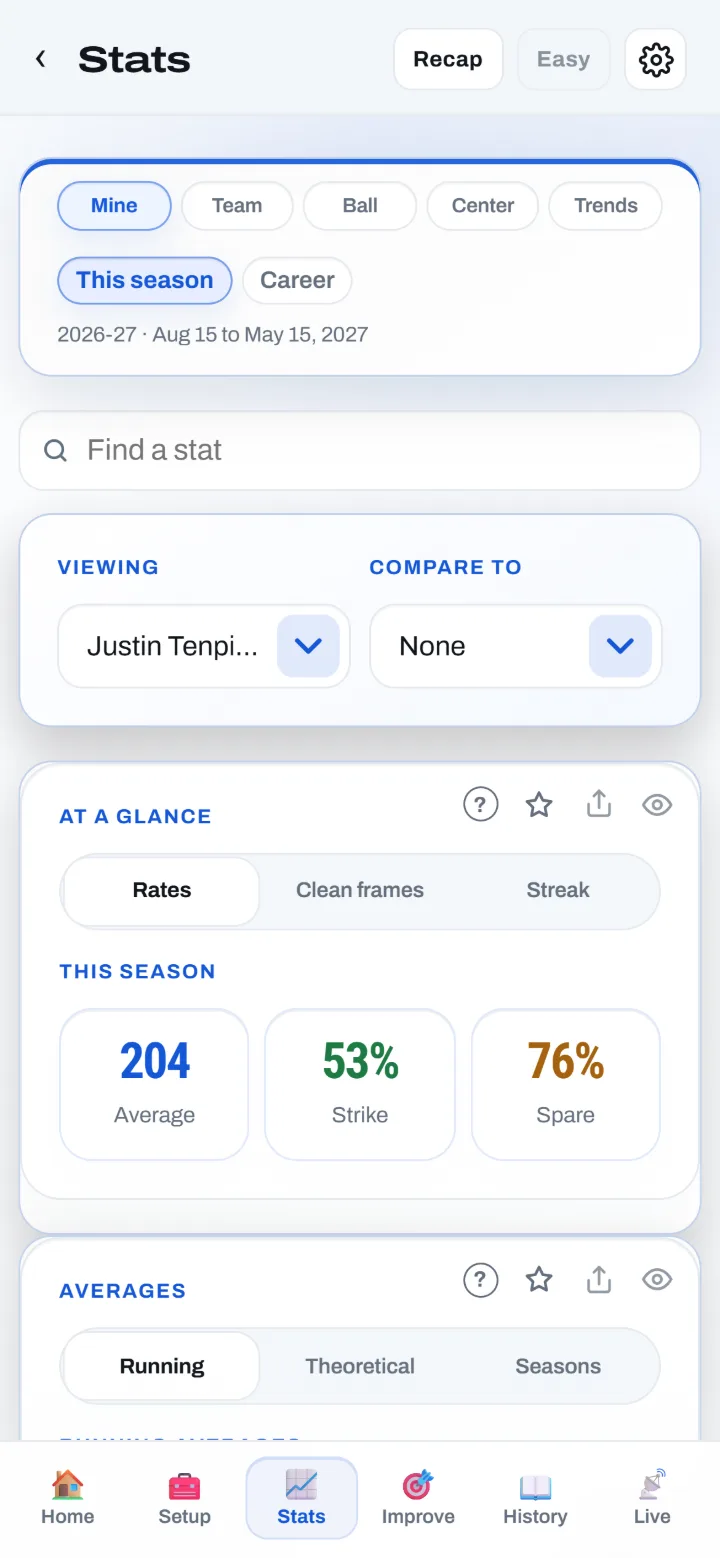
The tabs
- Mine: your own numbers. The Viewing card at the top picks whose numbers they are and who to compare them with. See Viewing and Compare To.
- Team: one of your teams at a time. See The Team chip.
- Ball: each ball you throw, one oil pattern at a time (Pro). See The Ball chip.
- Center: how you bowl at each bowling center, on each lane, and on each kind of pinsetter.
- Trends: your numbers over time on one chart. See Trends.
The tabs stay at the top of the screen while you scroll, and each one opens at its top.
Each tab reads its own numbers. Mine reads whoever Viewing is set to. Team reads the team you pick on it. Ball and Center are always you, across every league. Trends has its own Viewing and league. What you pick stays while the app is open; the next time you open the app, Stats starts on your own numbers.
The Recap button at the top opens your Weekly Recap. See The Weekly Recap. In Easy mode, Stats is one page instead: see Stats in Easy mode.
This season or Career
Under the tabs, pick This season or Career. Every card on every tab follows it, and the phone remembers your choice.
- This season shows the season's years and dates under it, like "2026-27 · Aug 15 to May 15, 2027". With every league in view, a season runs from 15 August to 15 May, and from 16 May to 14 August it's the summer season. With one league in view (a team picked under Viewing, or the Team tab), it's that league's own season, by its Season dates when you've set them. See Managing your leagues.
- Career: every season you've bowled.
With nothing in the season yet, Stats says "Nothing bowled yet this season". Your earlier seasons are still there under Career.
What Stats counts
- Practice and open bowling never count on Stats.
- A league you've hidden doesn't count. On the free plan with more than one league, once you've picked your active league, only that one does. See The Pro trial and your active league.
- Tournament games stay out of your averages. Your records can count them, unless the event was Baker or 9-pin no-tap.
- At a Baker event, only the frames you threw count as yours.
- 9-pin no-tap frames stay out of the 10-pin figures, like Strike %, and no-tap scores are kept apart and marked. If every night in view is 9-pin no-tap, those nights are your figures.
- Nights you bowled as a sub stay out of your composite average, unless they're all you have.
- A teammate's games from a scorecard you imported count for them, even before they sign up.
Find a stat
- Tap Find a stat under the tabs. It's on Mine, Team, Ball and Center.
- Type a card's name, or a word a bowler would use, like "turkey", "7-10" or "oil".
- The cards that match show from every tab, each with the tab it's on. Pro marks a Pro card and Hidden one you've hidden.
- Tap one. Stats goes to that tab, opens the card on the right tab and scrolls to it. A hidden card comes back first.
A card with nothing to show yet takes you to its line under Not yet. On the free plan, a Pro card takes you to its line on the Pro note. If nothing matches, it says "No stat by that name". Tap × to clear what you typed.
The buttons on every card
Each card has small buttons in its top right corner.
- ? (What this card counts): opens a short note inside the card on what it counts and how to read it. Tap it again to close it. On a card with tabs, it explains the tab that's open. A card that says what it is, like My Records, has no ?.
- The star (Star): puts the card at the top of the tab under Starred, with the rest under All stats. Tap the star again to take it off.
- Share: sends a picture of the card through your phone's share sheet. The picture says whose numbers they are, which league, and who you're comparing with. The buttons and the ? note aren't in it. See Sharing a night, a card or a badge.
- The eye: hides the card. On a card with tabs, the eye hides every tab of it.
Your stars, your order and the cards you hide are saved with your account. In the example account they last only until you leave it.
Moving cards into your own order
- Hold a card for a moment. On a phone, you feel a short buzz when it lifts.
- Drag it up or down. Near the top or the bottom of the screen, the page scrolls with you.
- Let go where you want it.
A starred card moves among the starred ones, and the rest among the rest. The Viewing card always stays at the top. Each tab keeps its own order. A swipe that moves straight away scrolls the page instead of lifting a card, and so does a touch at the very edge of the screen. With VoiceOver or TalkBack, each card has Move up and Move down.
Until you move them, the cards sit in an order that suits the kind of night you last started: league, practice, tournament or open bowling.
The foot of each tab
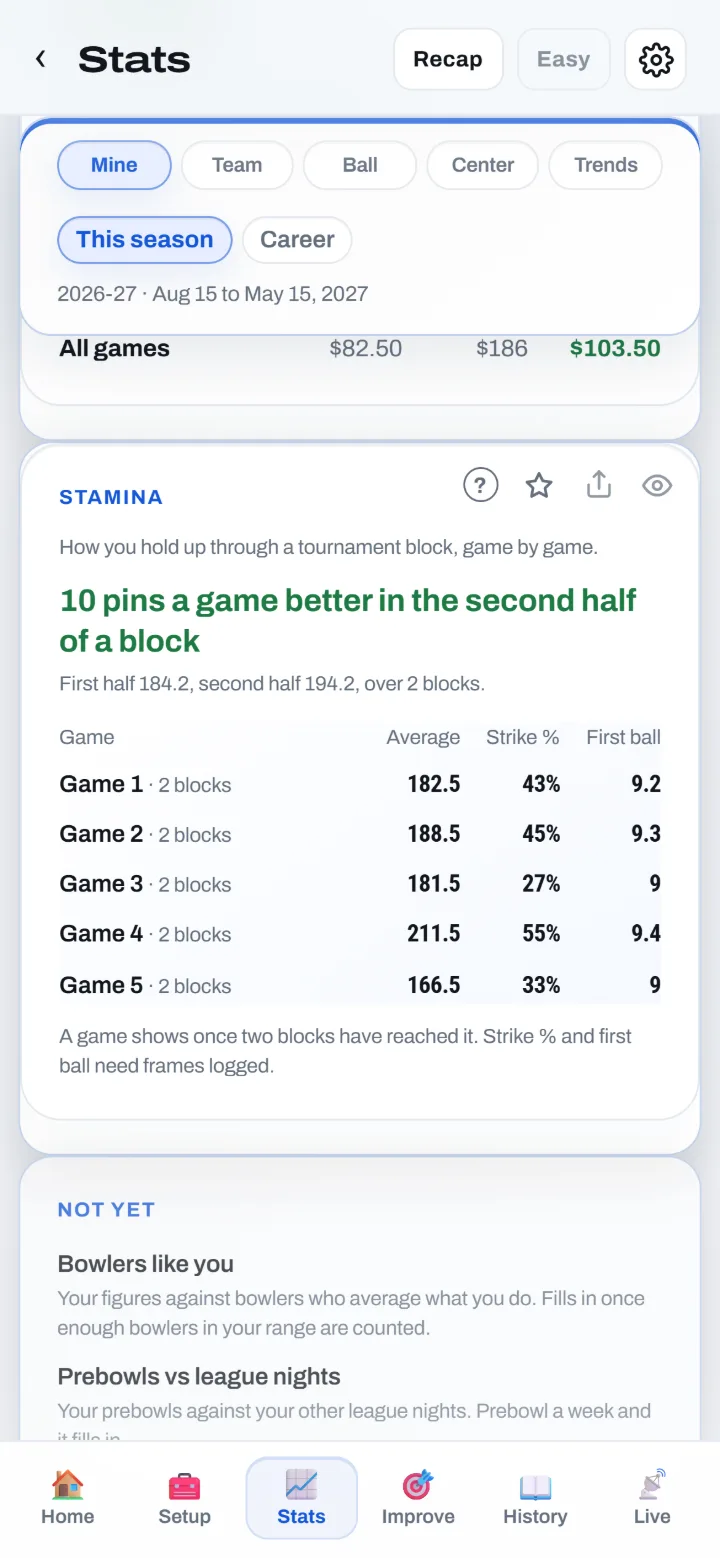
- Not yet: the cards with nothing to show yet, each with what fills it. A card the view leaves out on purpose, while you're comparing or looking at a team, isn't listed.
- Pro on this tab: on the free plan, every Pro card on the tab, with a line about each and See what Pro adds. On Ball, the whole tab is one locked card instead.
- "Unhide Stat Cards (2)": shows when you've hidden cards on this tab, and brings them all back. Only this tab's. The number is how many you hid: a card with tabs, like Scores, counts once.
- Reset order: shows once you've moved a card on this tab. It puts the tab back in its first order. Your stars and hidden cards stay as they are.
Pro on Stats
Most of Stats is free. Pro adds the whole Ball tab; Head-to-Head on Team; Home and Away and Rack Report on Center; and on Mine, Bowlers like you, By pattern, Delivery DNA, the Seasons tab of Averages with every league in view, the Tournament tab of the Cash Book, the By ball tab of Missed strikes, and the Average Sheet. In the example account, Pro is unlocked and these cards are marked Pro.
Every card, tab by tab
Mine
- At a glance: your average, Strike %, Spare %, clean frames and your longest strike streak.
- Averages: each league's average, your theoretical average, and this season against last.
- Milestones: your records and the next 5-pin milestone.
- Bowlers like you (Pro)
- By pattern (Pro)
- Scores: by game, by frame, how your scores spread, and how steady they are.
- The Closer
- Spares: Single pins, 10-pin and Other leaves, Splits and Missed
- 10 Pin Toll
- First ball: Average and Strikes, and Non-strikes
- Carry Meter
- Bullseye
- Delivery DNA (Pro)
- The Cash Book
- Stamina
Team: Season Record, Weekly Points, Team Series, Team Leaderboard, Head-to-Head (Pro), Team Records, Giant Killer, Hung and Hand Up and Handicap Edge.
Ball (Pro): Sweet Spot, Ranking by Ball, Night Shift, Ball Duels, Grit Ladder and Swap Story.
Center: Home and Away (Pro), Shoes by Center, Lanes and Rack Report (Pro).