 MY BOWLING JOURNEY
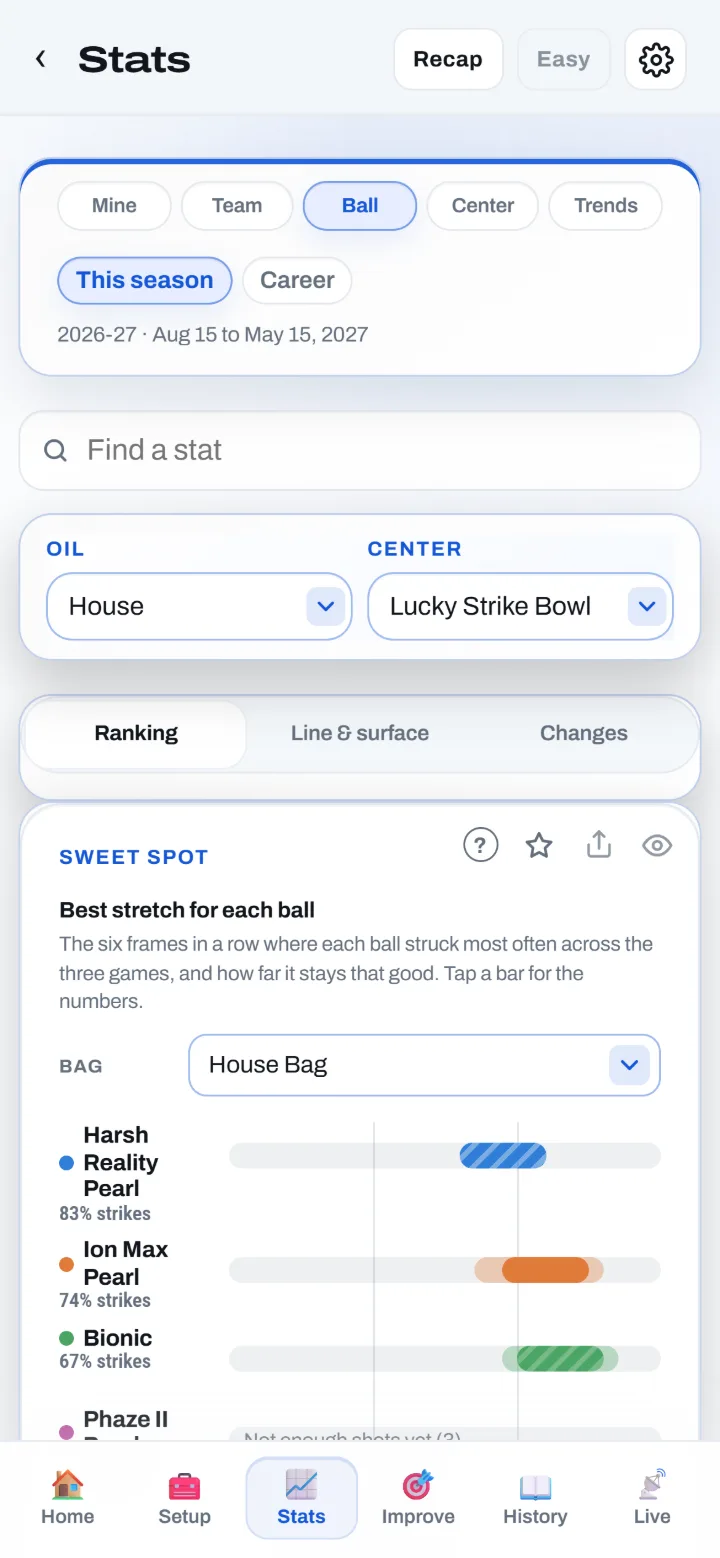
Sweet Spot finds, for each ball, the six frames in a row where it strikes most, anywhere in games 1 to 3. Read left to right, it's a plan for the night: which ball to start with and when to switch. It leads the Ranking tab on the Ball chip in Stats, and it's Pro.
Pick what it reads
- Oil and Center, at the top of the Ball chip: the pattern and the house. Every card on the chip follows them. Center can be All centers.
- Bag, on the card: one of your bags, or All balls. It opens on your first league bag on the house shot, or on the bag you've thrown most on a sport pattern.
A league night's pattern is the one set under Lane Conditions that night, else your league's usual pattern, else House. A tournament night takes its pattern from its block and its center from the tournament.
Reading the bars
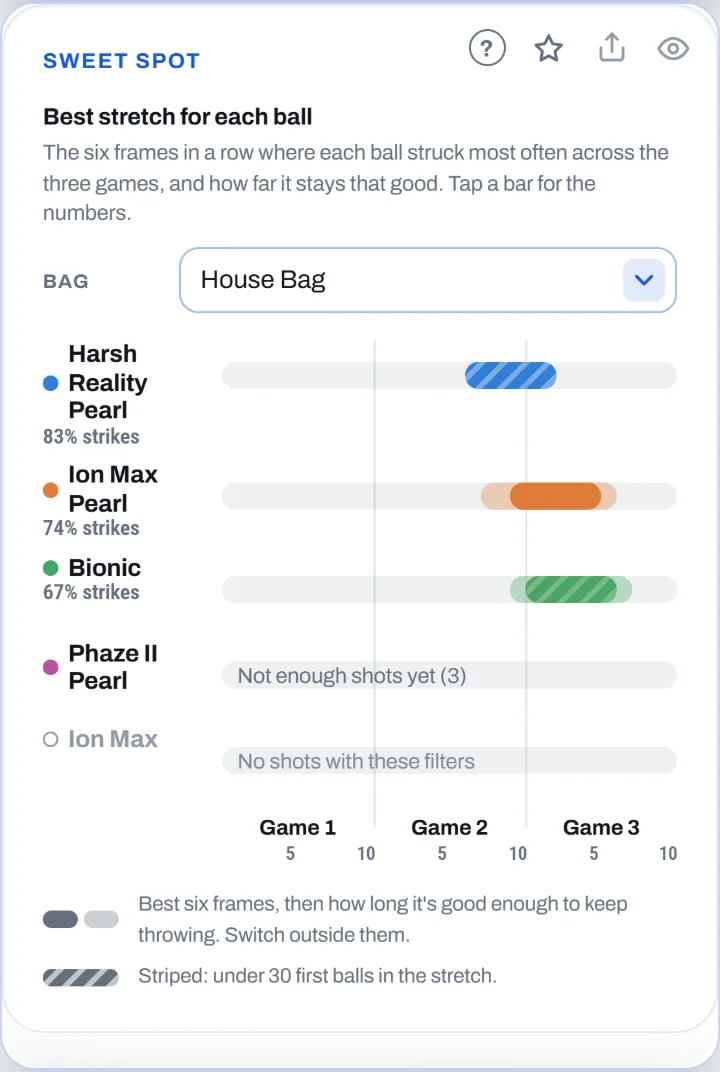
- Across the bottom: "Game 1", "Game 2" and "Game 3", with frames 5 and 10 marked.
- The solid bar is the ball's best six frames in a row. They can run from the end of one game into the next.
- The paler bar either side is how long the ball stays good enough to keep throwing: within about half a strike a game of its best. Outside the bars, switch.
- A striped bar has fewer than 30 first balls in its six frames. A real read, but an early one.
- Under each ball's name is its strike rate in its best six frames, like "74% strikes".
- "Not enough shots yet (3)": fewer than 10 first balls with that ball here, or no six frames in a row with 5 first balls in them yet.
- A greyed ball with "No shots with these filters" is in the bag, with no first balls on this pattern and house.
Balls with a bar come first, highest strike rate first.
Tap a bar
A box opens under the chart with the numbers. "G2 F3" means game 2, frame 3.
- "Best six frames G2 F3 to G2 F8: 74% strikes on 46 first balls, against 51% over the rest of the set."
- "Keep throwing from G1 F9 to G3 F2."
- "Switch before G1 F9 and after G3 F2."
- On a striped bar: "Fewer than 30 first balls in this stretch, so treat it as an early read."
Tap the bar again to close it.
What it counts
- Your first balls at a full rack in games 1, 2 and 3 with a ball logged, including the balls thrown at a full rack in the 10th. Games 4 and up aren't counted.
- Spare balls are left out: any ball with plastic, polyester, spare, clear or Viz-A-Ball in its name.
- League nights and tournaments, This season or Career. Practice and open bowling don't count on Stats.
- 9-pin no-tap frames count, but only a real strike counts as a strike.
Logging the ball you throw is on Details.
On the free plan
The whole Ball chip is Pro. On the free plan it shows Advanced analytics, what the chip holds, and See what Pro adds.