 MY BOWLING JOURNEY
Want a clean slate without losing your account? Clear All Data removes your bowling history and leaves everything else.
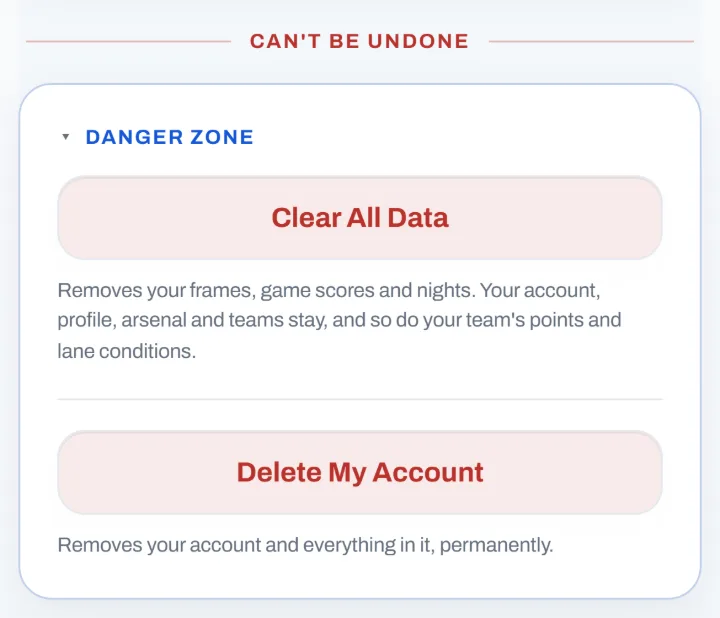
"Removes your frames, game scores and nights. Your account, profile, arsenal and teams stay, and so do your team's points and lane conditions."
Just one night to get rid of? See Deleting a whole night.
What goes and what stays
It goes from the cloud too, so it's gone on every phone you sign in on and on the web:
- Every frame and ball you've scored.
- Every game score you've typed.
- Every night.
- Points and lane conditions you kept without a team: opponents, handicaps, wins and losses, and the pattern.
What stays:
- Your account, profile, arsenal and teams.
- Your team's Points Won and lane conditions. Your teammates use them too.
- Nights and frames a teammate or friend logged on their own account.
Clear it
It can't be undone. Want a copy first? Export your nights and shots: see Exporting and importing files.
- Tap the gear (Settings) at the top right.
- Tap the Account tile.
- Below Can't be undone, open Danger Zone.
- Tap Clear All Data.
- Read what goes: "This deletes every frame, game score and night you've logged, and any points and lane conditions you kept without a team. Your team's points and lane conditions stay. This can't be undone. Consider exporting your shots and nights from Your data first."
- Tap Yes, Delete Everything, or Cancel to back out.
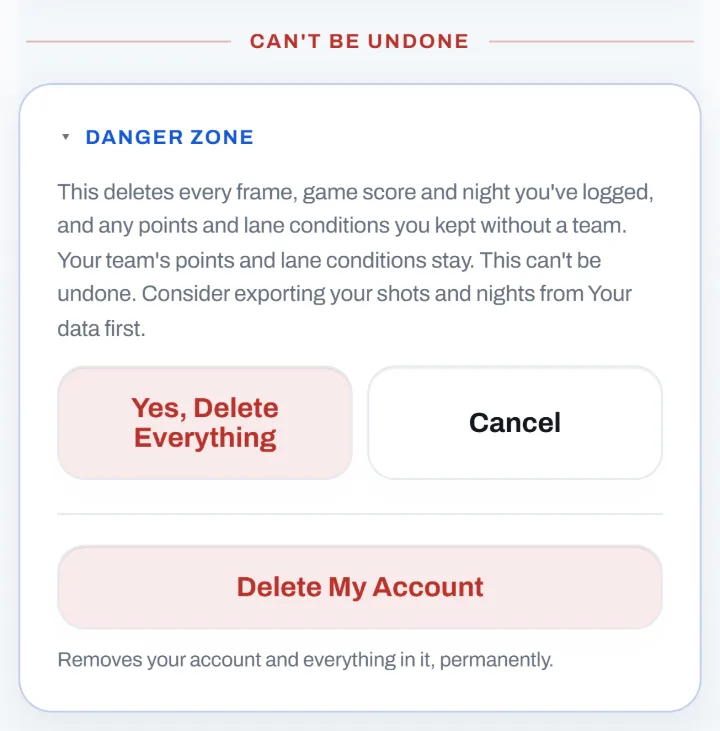
Clear All Data shows once you have something of your own to clear: frames, typed game scores, nights, or points and lane conditions kept without a team.
Not the same as deleting your account
Just under it, Delete My Account removes the account itself and everything in it. See Deleting your account.