 MY BOWLING JOURNEY
Entering a tournament that asks for your average? The Average Sheet puts your league averages for the season on one page: every league, its games, average, high game and high series. It's Pro.
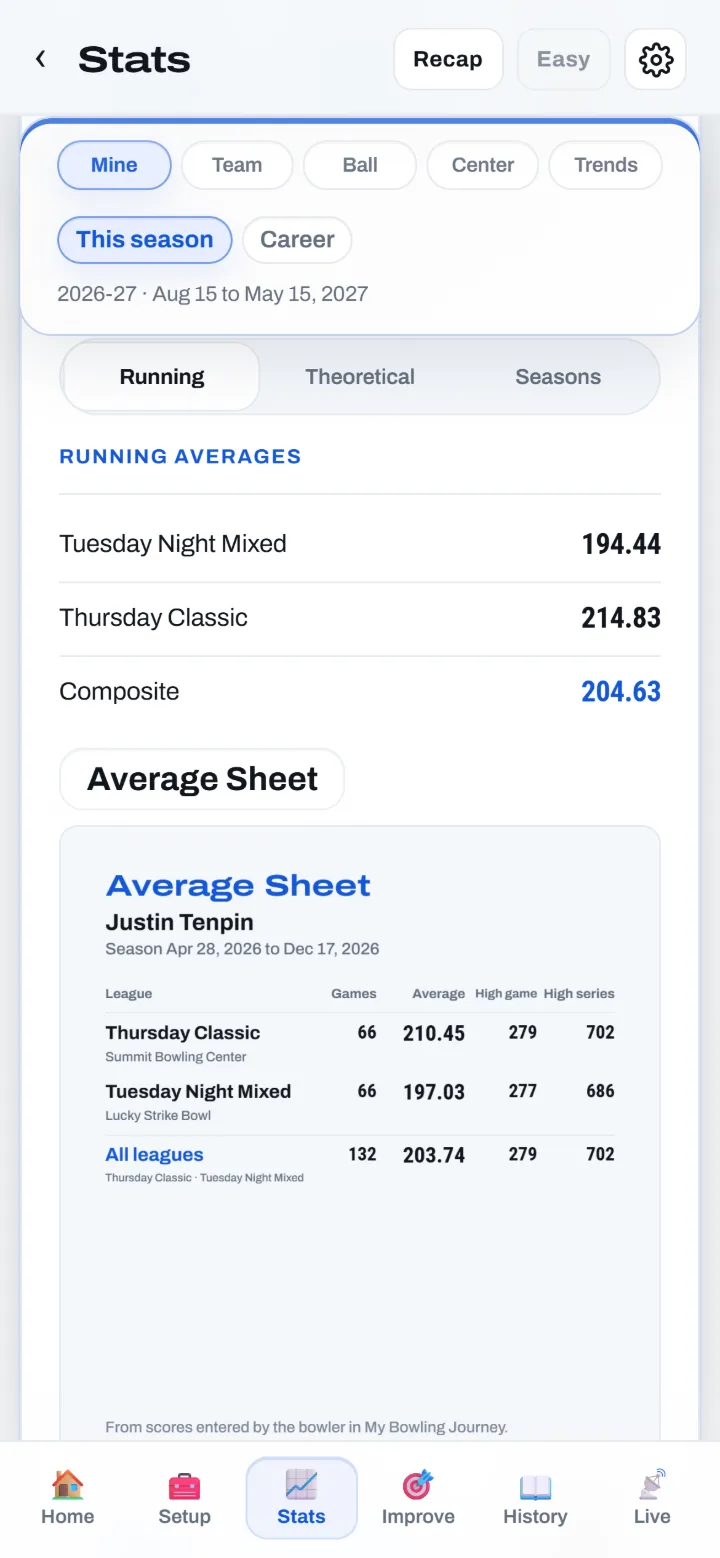
Opening it
The Average Sheet button is in two places:
- Stats: on Mine, the Averages card's Running tab, under the league rows. It's the sheet for whoever Viewing is set to, and isn't there while you're viewing a team.
- History: on History > Season, under Share Summary. It's your own sheet.
- Tap Average Sheet. The sheet opens under the button.
- If you bowled last season too, pick This season or Last season above it.
- Tap Average Sheet again to close it.
What's on it
- At the top: "Average Sheet", your name, and the season's dates, like "Season Aug 15, 2026 to May 15, 2027".
- A row for each league, by name, with its center under it: Games, Average, High game and High series. A 9-pin no-tap league or one you bowl in as a sub is marked under its name.
- All leagues: with two or more of your own 10-pin leagues, your average across them, with those leagues named under it. 9-pin no-tap and sub leagues stay out of it, on their own rows.
- At the foot: "From scores entered by the bowler in My Bowling Journey." and "Not a sanctioning body's record.", the day it was made, and the app's name with a code to scan.
The numbers are the ones on Stats, to the cent. An average is cut to two decimals, never rounded up. A high series is three games on one night. League nights only: never tournaments, practice, open bowling or Baker.
Each league's row uses that league's own season, by its Season dates when they're set. So its numbers can differ from Running Averages with every league in view, which uses one season for all of them. The sheet doesn't follow the This season or Career switch. Last season is the season before each league's current one.
The picture has room for six leagues. With no league games in the season, it says "No league games this season yet."
Sharing it
- Open the sheet.
- Tap Share the sheet.
- Your phone's share sheet opens with the picture and a message listing each league, like "Thursday Classic: 210.45 average, 66 games". Send it, or save the image to keep a copy.
On the free plan
Tapping Average Sheet opens a locked note instead: "Your league averages on one page, to hand to a tournament desk or a league secretary. The Average Sheet is part of Pro." Tap See what Pro adds to see Pro.