 MY BOWLING JOURNEY
On a league night, one phone can keep score for the whole team. Each bowler gets their own scoresheet and their own night, and the app passes the turn down your lineup as you go.
Pick who you're scoring
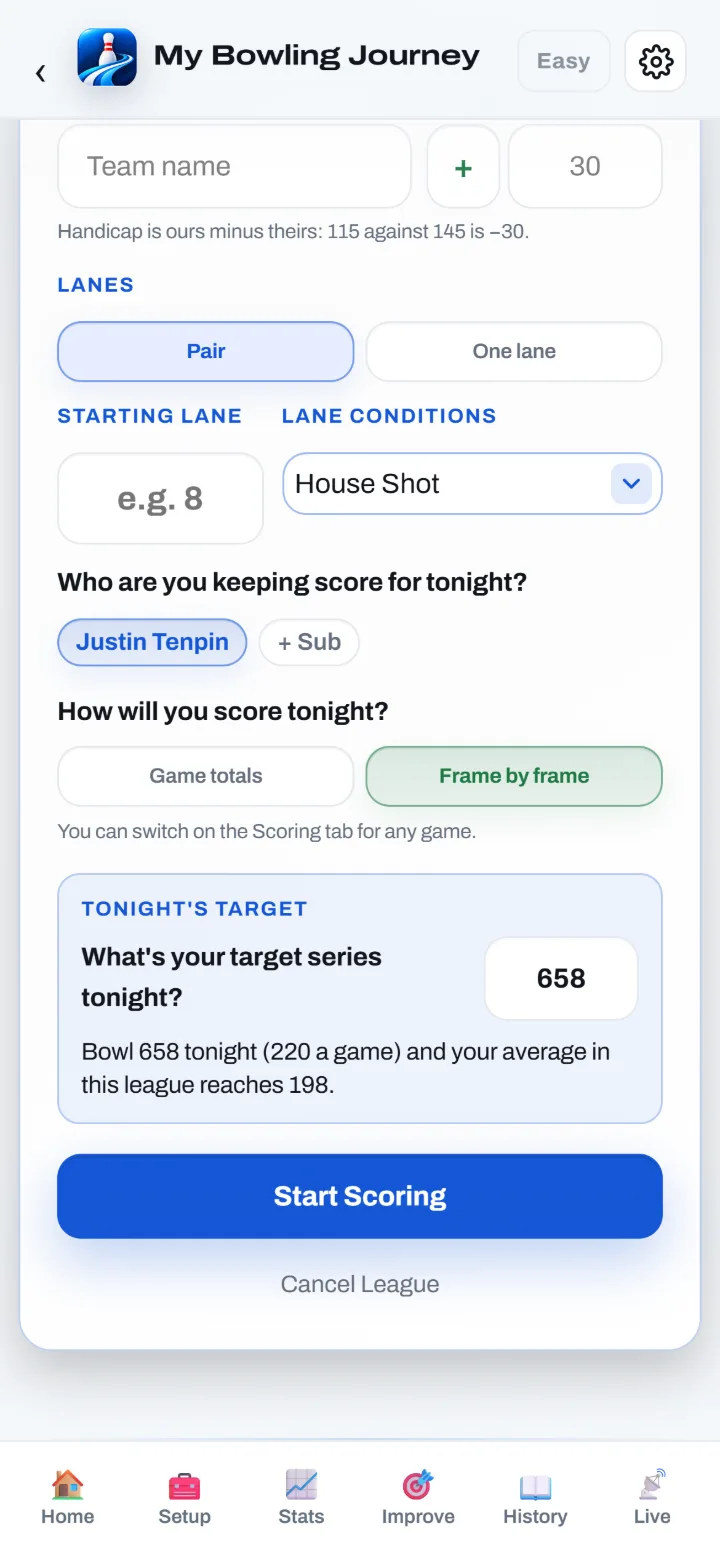
- On Home, tap League and stay on Set up.
- Under Who are you keeping score for tonight?, your own name is always on. Tap each teammate you're scoring. Tap one again to take them off.
- A sub tonight? Tap + Sub, type their name in Sub's name and tap Add.
- Tap Start Scoring.
Bowlers are scored in your team's lineup order, with subs after the lineup. To change the order, go to the Team tab in Setup.
On the Scoring tab
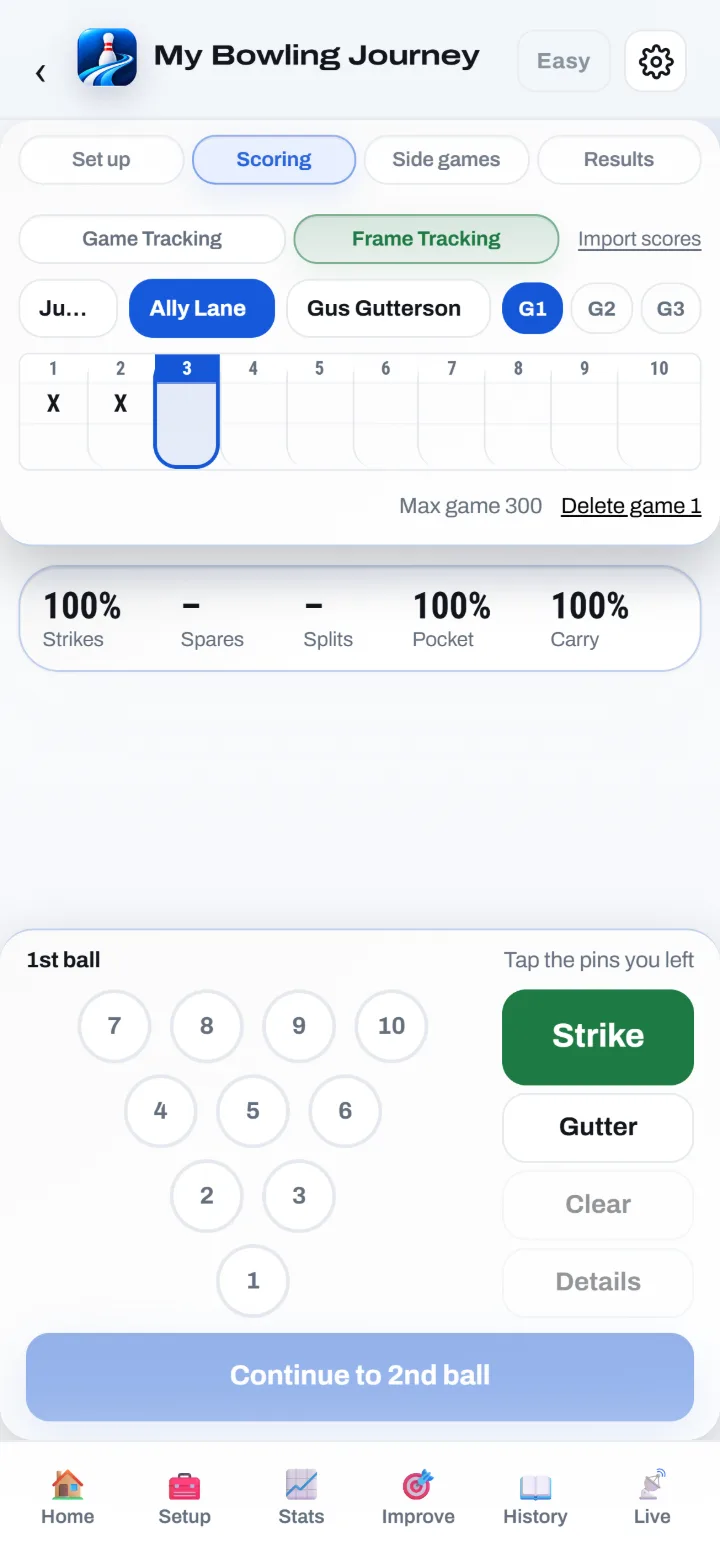
- Up to three bowlers: each gets a chip at the top with their score. Tap a chip to score that bowler. The scoresheet under the chips is theirs.
- Four or more: one button shows who you're scoring, like "Scoring Rob 187 · 2nd of 5 bowlers". Tap it for the list, where each bowler shows where they are: frame 5 next, frame 6 done, 2 frames behind or game done.
Frame by frame: finish a frame for one bowler and the next bowler in the lineup is up, at their next frame. Anyone who has finished the game is skipped. In the 10th, the same bowler stays up until their 10th is done. Once everyone has finished a game, the first bowler in the lineup starts the next one. You can always tap a chip to jump to someone.
Game Tracking: type a bowler's score and tap Save game 2 (it names the game). The next bowler in the lineup without a score for that game comes up.
The night goes to Results once every bowler you're scoring has finished the last game, not when the first one does.
Your teammates' frames are scores only: no ball, no Details sheet and no weak or ringing 10. Those are for your own frames.
Subs
What + Sub does with a name:
- A name already on your team is that teammate, not a second bowler.
- A friend's name is that friend, added as a sub on your team tonight.
- Anyone else is kept on this phone only. Their frames, their typed game scores and their saved night never leave it, so another phone signed in to your account won't have them.
A sub never joins your lineup order. They're scored after it.
Teammates with their own accounts
- A teammate who keeps their own score on their own phone saves it to their own account. You may see their frames, but you can't change them. The app says "This was logged on another bowler's account, so only they can change it."
- Frames you keep for a teammate are on your account, so only you can change them.
- Save and end league night saves a night for everyone you scored on this phone, each as their own night. A night a teammate already saved themselves is left alone.
- Cancel League deletes tonight for you and for the teammates you scored on this phone tonight, frame by frame or with typed game scores, and names them before you say yes. A night a teammate already saved is left alone.