 MY BOWLING JOURNEY
No card is ever deleted. When one isn't where you expect it, it's one of these.
Find it
- On Stats, tap the Find a stat box under the tabs.
- Type the card's name, or a word like "split" or "oil".
- Tap it. Stats goes to the tab it's on and scrolls to it. Pro marks a Pro card and Hidden one you've hidden.
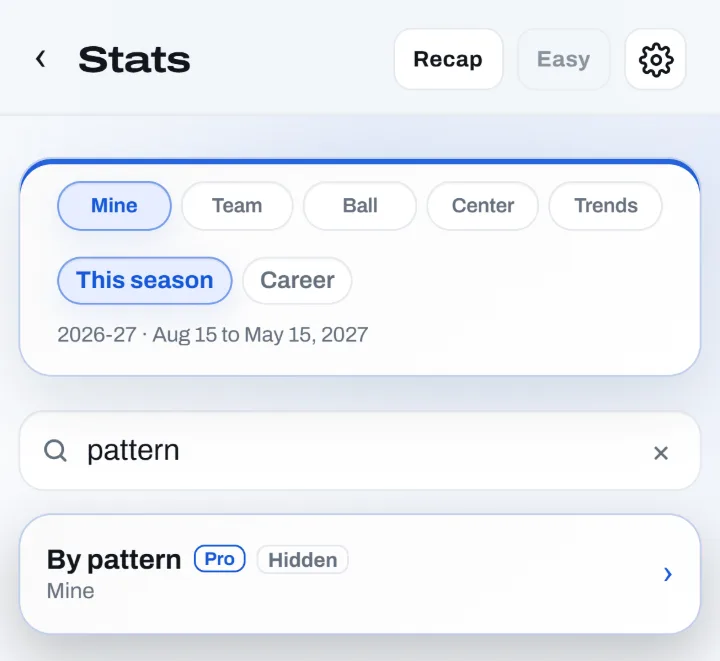
It looks across Mine, Team, Ball and Center, so it also tells you which tab a card lives on. See How Stats is laid out.
It's waiting for data
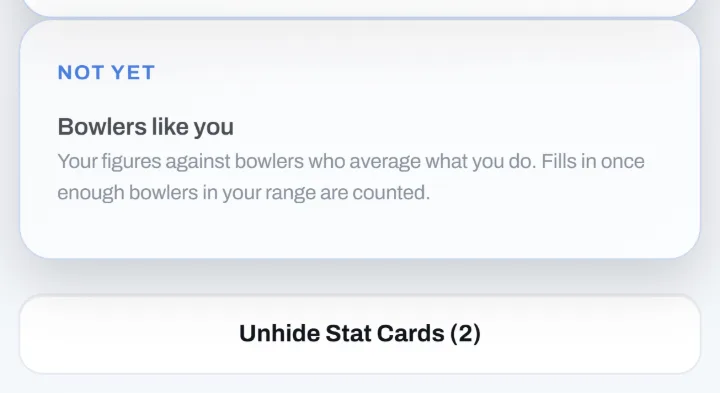
A card with nothing to show yet moves to Not yet at the foot of its tab, with what fills it, like "Splits and conversions. Log your leaves."
- Typed game scores fill your averages, high games and series. Strikes, spares, leaves and everything about your ball need nights scored frame by frame.
- Some cards need more from the details sheet: the ball you threw, your boards, your speed. See Details.
- Early in a season, This season can be empty. Try Career.
You hid it
The eye on a card hides it. At the foot of the tab, "Unhide Stat Cards (2)" brings back every card you hid on that tab; the number is how many you hid, a card with tabs counting once. Find a stat brings a hidden card back too.
It's part of Pro
On the free plan, Pro cards aren't on the tab. Pro on this tab at the foot lists them, with See what Pro adds. The whole Ball tab is one locked card, Advanced analytics. See Pro and the free plan.
You're comparing, or viewing a team
Some cards are about one bowler's own delivery. They step aside while Compare To has a bowler picked, or while Viewing has a team, and come back when you set Compare To to None and Viewing back to you. A few more, like My Records, go while you view a team. The full list is on Viewing and Compare To.
Stats opens on your own numbers each time you open the app.
The Team tab
Team shows one of your teams at a time. With no team, it says "You're not on a team yet". See The Team chip.
Some team cards need your match results, like Season Record and Weekly Points: mark Points Won on a league night's Results. Others need your teammates' scores or frames, entered on your phone or theirs.
Easy mode
In Easy mode, Stats is one page instead of the cards. Tap Easy at the top to turn it off and every card is back. See Stats in Easy mode.